The Oops!Backup Giveaway Is Back!

February 24th, 2010

Some time back we had a giveaway of Oops!Backup here, where the company had given away 25 licenses of its Oops!Backup software. The giveaway is back, by request! Altaro is pleased to offer 15 more licenses to the readers of The Windows Club! [Read More...]


Backup & Restore all Windows Live Writer settings with WLWBackup

February 17th, 2010

If you are a blogger and/or a user of Windows Live Writer, then this is one very useful utility you may want to have a look at!  Windows Live Writer Backup is a freeware backup utility for Windows Live Writer. Using this utility you can backup blog settings, posts and plugins. [Read More...]

Topics: Live | 1 Comment »

Create easy e-mail backups with KLS Mail Backup

February 6th, 2010

KLS Mail Backup is yet another easy to use freeware backup program that allows you to back up and restore your Windows Live Mail, Messenger, Outlook Express, Mozilla Thunderbird, Firefox, etc, profile files. [Read More...]

How to create folder mirrors automatically in Windows.

January 28th, 2010

Data loss is probably the single most traumatic experience possible for those that store their data electronically. While the answer to that may be regular back-ups, this freeware utility lets you create copies of folders. [Read More...]

Windows NT Backup Restore Utility for Windows 7

January 12th, 2010

The NT Backup Restore Utility restores backups that are made on Windows XP and on Windows Server 2003 to computers that are running Windows 7 and Windows Server 2008 R2. [Read More...]

Fix for Failed Backups & Event ID 12293 in Windows Vista

December 30th, 2009

Microsoft has released a hotfix to resolve an issue, where Backups fail and Event ID 12293 is logged on a computer that is running Windows Vista or Windows Server 2008. [Read More...]

Topics: Tips | No Comments »

Oops!Backup : A Time Machine for Windows – SPECIAL X’MAS GIVEAWAY!

December 9th, 2009

Ever accidentally deleted, misplaced, lost or overwrote an important document, precious photo or other file? Or maybe you worked on a document or photo only to realize you’ve made a mess – and though you desperately wanted to revert back to the original, you couldn’t!? Faced a sudden document corruption?  Or perhaps you saved over another document by mistake…? [Read More...]

Backup Mail, Messenger & Browser settings with MailBrowserBackup

September 18th, 2009

With freeware MailBrowserBackup you can create complete backups of Internet Explorer (Favorities Only), Mozilla Firefox, Flock, Opera (browser profile and mails), Apple Safari & Google Chrome. [Read More...]

Topics: Downloads | Comments Off

Backup data via Windows right click context menu with SimpleBackup

September 12th, 2009

SimpleBackup is free backup software, which adds the backup option to the right click context menu of files and folder. [Read More...]

Topics: Downloads | Comments Off

Copy files & settings with Windows Easy Transfer

September 10th, 2009

Windows 7 comes with an inbuilt tool called as Windows Easy Transfer which enables you to automatically copy your files, photos, music, e-mail, settings, and more to your new Windows 7. [Read More...]

Topics: Features | Comments Off

EASEUS Todo Backup for Windows

August 5th, 2009

EASEUS Todo Backup is a newly launched, completely free solution for your operating system and data backup to protect them away from unexpected damage or loss. [Read More...]

How to backup and restore your browser settings.

August 2nd, 2009

FavBackup is a simple freeware tool to backup and restore your browser settings. The application is very quick and easy to use and also backs up settings from all the top web browsers IE, Firefox, Safari, Chrome and Opera.  [Read More...]

Topics: Downloads | Comments Off

How to Backup Windows Live Mail Settings.

May 5th, 2009

Wouldn’t it be convenient if you could backup your Mail client settings in Windows? If you had to reinstall Windows or if you maybe lost the settings and customization due to some reason, you have to go and do it all over again! [Read More...]

Topics: Live | Comments Off

How to create a Disk Image Backup in Windows 7.

April 19th, 2009

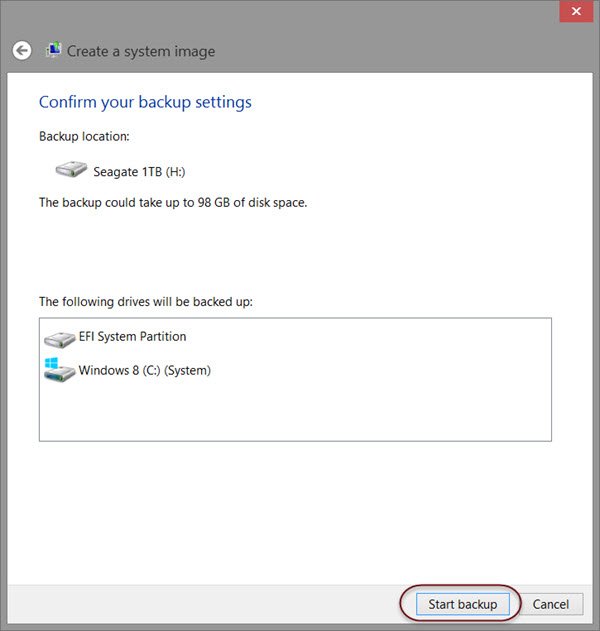
Windows 7 includes a System Image Backup Tool, with which you can now backup or clone an image of your disk. [Read More...]

Topics: Features | Comments Off