
If you suspect a file is malicious, you can send it to Microsoft or any antivirus companies for analysis. The Microsoft Research and Response Team or the concerned security company will check the file for malware, which may include viruses, spyware, worms, trojans, rootkits, adware, etc.
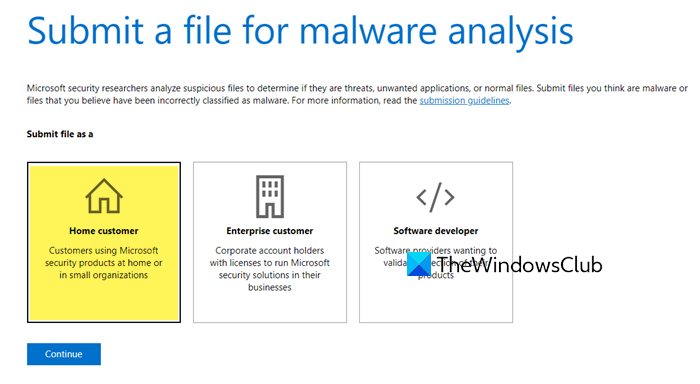
Where to submit malware & suspicious files to Microsoft
You can submit the file directly to Microsoft using this webpage at the Malware Protection Center.
It is always recommended that you zip the file and send it in compressed form.
Where to submit virus & malware files to antivirus companies
If you want to submit virus & malware files to antivirus companies, here are a few links that will help you:
- Avira
- Avast
- AdAware
- AhnLab
- AVG
- Avira
- Comodo
- Eset
- Emsisoft
- F-Secure
- Kaspersky
- McAfee
- Malwarebytes
- Symantec (Retail) | Symantec Security Response
- Sophos
- Trend Micro
- US-CERT.
If you know of any more, please do share!
How do I submit a file for malware analysis Defender?
To submit a file for malware analysis using Microsoft Defender, visit the Microsoft Defender portal, click on “Submit a file,” and follow the instructions to upload your sample. Make sure to provide all necessary details to aid in the analysis.
How to scan a file for malware?
To scan a file for malware with Windows Security, right-click the file, select “Scan with Microsoft Defender,” and the antivirus will check for threats. Ensure Windows Security has the latest updates for the best protection.
How do I report a Virus to Microsoft?
If you have a Microsoft Defender XDR subscription or Microsoft Defender XDR for Endpoint Plan 2, you can submit malware files through the Submissions page in the Microsoft Defender portal to report a virus to Microsoft. This helps Microsoft analyze and address potential threats promptly.
How do I submit to Microsoft Defender?
To submit to Microsoft Defender, go to the Microsoft Defender portal at security.microsoft.com/reportsubmission. On the Submissions page, select the Files tab and click Add new submission.
