
Internet Explorer includes an Add-on Performance Advisor which lets you monitor the load time and performance of its add-ons and lets you disable them if you find that they are taking more time to load.
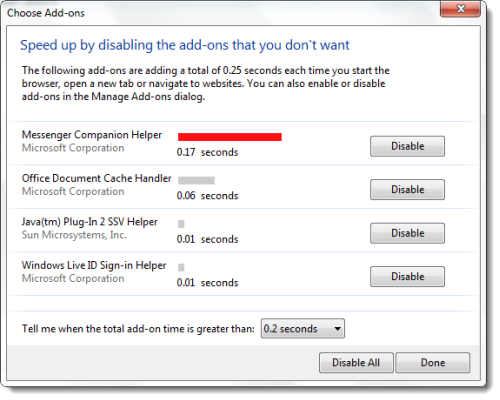
IE Add-on Performance Advisor
- To open it, right click on an area near the One Box and select Command Bar.
- Under Settings, select Toolbars > Disable Add-ons.
- This will open the Add-on Performance Advisor.
- You can use it to warn you if it is taking more than a particular time to load. The default value is 0.2 seconds.
While add-ons, such as toolbars, can enhance your browsing experience, but they can also slow it down. Add-on Performance Advisor tells you if any add-on is slowing down your browser performance, and then allow you to disable or remove it.
This can help you make Internet Explorer start up even faster!

