
Heard a lot about a Solid State Drives but want to know what it is and how it differs from a Hard Disk Drive? Then this post is especially for you.
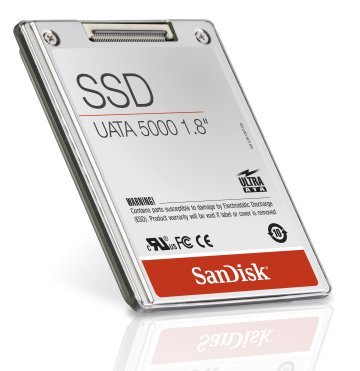
What is a Solid State Drive
A Solid State Drive is an array of flash memory modules similar to a flash drive. However, an SSD is totally different from RAM. Unlike the RAM, an SSD permanently stores and remembers data even with the system being shut down. It is made up of flash memory rather than volatile memory.
Solid State Drive vs. Hard Disk Drive
Well, do you treat your system as a girl treats her Barbie doll, fearing even a simple ‘thump’ may damage your Hard Disk Drive? If yes and if thumps and bumps are to occur more in your lifestyle, then switch over to a Solid State Drive. The main benefit of an SSD is that they do not contain any moving parts which make them sturdy enough to absorb the knocks, falls, or bumps without affecting your data. On the other hand, an HDD contains fragile parts, thus rendering it sensitive even to the smallest of knocks or falls which may, in turn, lead to loss of your precious data.
Hate the idea of inducting an extra noisy fan just to keep the system cool? Adopt an SSD for it consumes much less power than compared to an HDD. Less power means it does not generate much heat and does the job quietly and effectively. Your battery, therefore, lasts longer.
Thick is ‘out’ and Thin is ‘in’, be it modeling, fashion or technology. SSDs have a size advantage over their counterparts HDD with the former being comparatively less in size than the latter. Who would want a bulky Hard Disk Drive when few varieties of Solid State Drives can be installed even in the ultra-thin and extremely cheap laptops/netbooks? It improves the mobility factor by leaps and bounds and in the near future, we can expect even smaller SSDs with larger storage capacity.
Solid State Drives have much faster startup times than traditional hard disk drives. They help in making your computer run more efficiently and amazingly fast with the seducing feature of allowing the users to access their data or store them in comparatively lesser time. They have much faster read-write speeds.
Read: What is SATA or NVMe SSD?
In the end, users whine about the high cost of SSDs which seemingly makes them unaffordable by the majority of system users, but with time, this is set to change. Its increasing demand and availability of cheap deals all around will prompt every user to think if he needs to stick around with a Hard Disk Drive or switch over to a Solid State Drive.
In short:
- SSD offers better speeds when accessing data
- SSD drives are quieter
- SSD hard drives require no cooling
- SSD drives have no mechanical parts such as write head and are therefore less prone to failure
- SSD consumes less power.
You may also want to read about Hybrid Drives and check out this comparison between Hybrid Drive vs SSD vs HDD.
Also read:
- Do you need to defrag SSD? What happens if you defrag it?
- Do I really need an SSD or Solid State Drive?
Is anyone using an SSD here? Would you like to share your experience here, please?

