
Windows 7 Aero Snap feature lest you snap your windows to the four edges of your screen. Gridy, creates nine slots and adds an invisible grid to windows, so that any window you move or resize is snapped to it. Snapping is enabled with mouse drag or keyboard arrow keys.
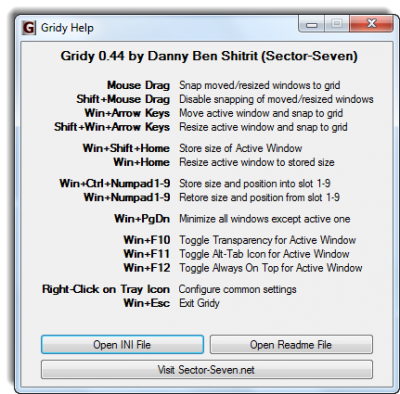
Snap your open windows to grids
Gridy also lets you store and restore a window’s size and position in up to 9 slots. This is useful for quickly arranging your windows in a convenient way.
In addition, you can apply these changes to any window or dialog:
- Make window semi-transparent
- Hide the window’s Alt-Tab icon
- Set window to be Always on Top
- Resize to a predefined size of your choice
- Minimize all windows but the active one
After installing Gridy, right click its icon in the system tray to access some configuration options. You may also double-click the system tray to see the Help screen with all of the available actions. It has a portable version too!
Visit HomePage.
