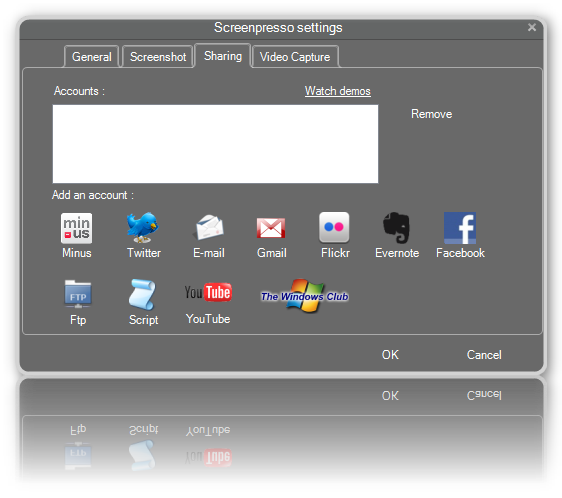
Screenpreso is a freeware utility for Windows PC that allows you to capture, edit and save screenshots, scroll windows, videos, and share them directly to social networking sites.
Screenpresoo screenshot tool for PC
Features:
- Capture windows and region. Capture part of the screen or a specific window with the same shortcut.
- Portable application. The tool gives you an option to either install it on your computer or run it as a portable app! No need to install the application, you can run it directly after download.
- Screenshot history. Don’t bother to save screenshots on your drive, Screenpresso does it for you.
- Attach screenshots to emails. Drag and drop screenshots from the history directly to your favorite email editor. Webmails like GMail are also taken into account!
- Built-in image editor. Crop, spotlight an area, or comment parts of a captured image.
- Capture scrolling part. Can’t fit it on the screen? Make a unique image thanks to the stitching mechanism.
- Add effects. Look like a pro. Add drop shadow, rounded corners, reflection, and more.
- Resize a bunch of images. Need to export images or create thumbnails at a specific size, one click.
- Share screenshots. Easily share your screenshots via Twitter, Facebook, G-Mail, Evernote, Flickr, or FTP.
The free version comes with limited branding. You can download it from its Home Page.
How do you take a scrolling screenshot in Screenpresso?
Screenpresso comes with an in-built option to take scrolling screenshots on your computer. The one-click option helps you capture scrolling screenshots of any app. For example, if you want to capture the entire webpage or any other program, you can do that with the help of Screenpresso.
What is Screenpresso used for?
Screenpressor is a screen capturing tool for Windows PC. It is compatible with Windows 11, Windows 10, and some other older versions. You can capture regular screenshots, scrolling screenshots, edit the image, record your screen, etc., with the help of Screenpresso.
You may also want to check out our freeware Windows Screen Capture Tool that allows you to capture full screen, selected screen area, windows, webpages, and more. You can also add watermarks to your captured screenshot or edit the image using its basic image editor.