
Startup Discoverer is a portable freeware application, which lists start-up file & program locations and allows you to save and print them. It can be very useful when troubleshooting Windows.
Startup Discoverer prints a list of startup items
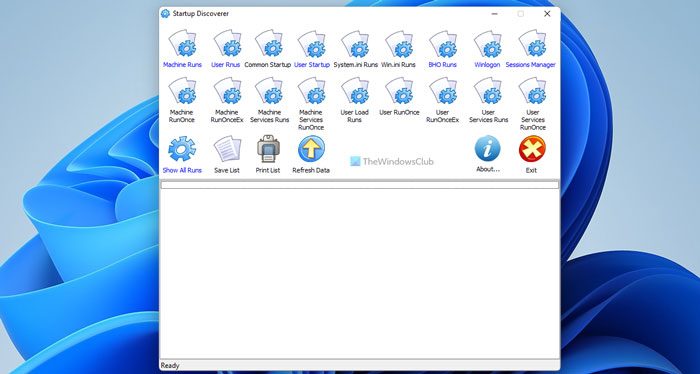
Save & print list of start-up files
When Microsoft Windows-based operating system starts, it auto-loads programs from different locations.
Startup Discoverer will list these programs category-wise. This list then can be saved as a text file or printed.
The main interface has 19 categories that you can click on to get the auto-load programs for each category. The blue category label means that these are auto programs; the black label means empty categories. You can also click on “Show all runs” button to list all the autoloads from all categories.
An important feature is that you can save a list as a text file and to print the list to the default printer.
How do I print a list of files from Windows Explorer?
There are multiple ways to print a list of files from Windows Explorer or File Explorer on a Windows 11/10 PC. For example, you can use the Dir List command in the Command Prompt, use the Paint app, etc. Apart from that, you can make use of the Karen’s Directory Printer app on your PC.
How do I get a list of files in a folder on Windows 11/10?
To get a list of files in a folder on Windows 11 or Windows 10, you can use Microsoft Excel on your computer. Whether you have five or five hundred files, you can use Microsoft Excel to create a list of files in a folder. Although it is quite tricky, it does the job pretty well so that you can do what you want.
Visit its Home Page to check it out. It works on Windows 11/10/8/7.
Go here to see how to Print a List of Files in Folders.

