
It happens many times that you need to open a second instance of the same application and run them on your Windows 11/10 computer at the same time. If you ever felt the need to Run multiple instances of applications from the Windows taskbar, this post is sure to answer your question.

Click on the pinned taskbar icon and you have the application running. Click on it again and you have the same instance appear again. So what do you do if you want to run, multiple instances of any program, like say Notepad?
How to open second or multiple instances of the same program
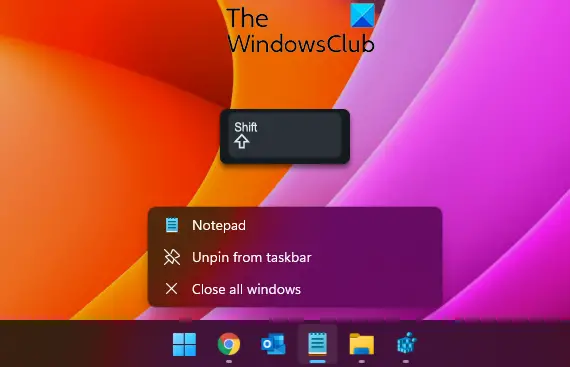
If you already have an application open on your desktop and you’d like to open another instance of the same application, you need not go through your Start menu. Just use the Taskbar icons. You have 3 ways to do this:
- Press down the Shift key and click on the program icon in the taskbar.
- Move your cursor to the applications taskbar icon and click on the third middle mouse button.
- Hover over the program icon, press the Shift key and then click on the program name.
- Right-click on the Taskbar icon and again click on the program name.
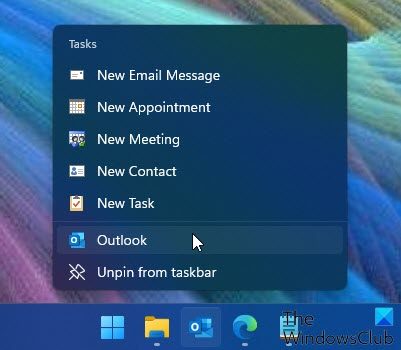
You can thus run multiple instances of programs from the Windows taskbar, even when the first instance of that program is running.
How do I open multiple instances of the same program using Run box?
Let us take the example of the calculator program. Open the Run dialog box.
First, run calc.exe to open the Calculator. Then run calc.exe /m. or calc.exe -m to open another instance of the program.
Small tips like these make working with Windows that much easier.
If you know of any other such tidbits and more one-line quick tips, please do share with us in the comments section.
Related reads:
- How to open multiple instances of Registry
- How to open multiple instances of Microsoft Store apps
- How to open multiple apps at once from Start Menu
- How to open multiple instances of Microsoft Teams
- How to launch multiple programs with one shortcut.
Random read: Why does the laptop battery meter indicator not match with real results?
