
Ever wished you could run some Android App or Game on your Windows PC? BlueStacks is an Android Emulator that will allow you to play Android games and apps on your Windows PC. The app will bring the Android operating system to Windows-based computers via a virtualization layer. It is not a dual-boot solution. It will allow you to launch Android apps like you’d launch any other Windows application.
BlueStacks Android emulator
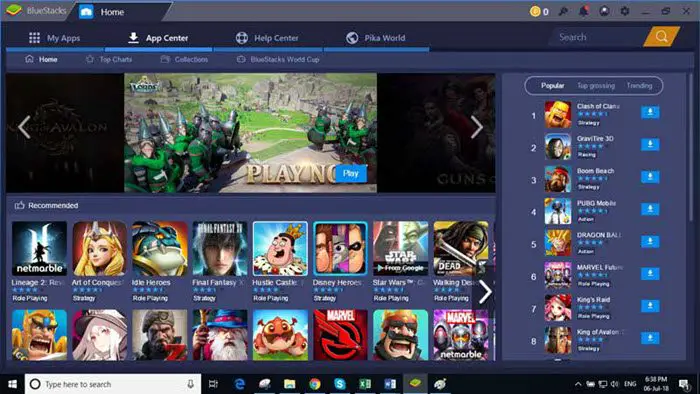
The BlueStacks App Player allows users to run any app an Android phone can run better and faster on your computer. Their new Android emulator is the only gaming platform designed and built for gamers.
Run Android Apps and Games on Windows 11/10
Features in a nutshell:
- It automatically adjusts to your computer’s unique specifications. It adjusts the resolution and size of your games to best fit your computer automatically.
- The App Center allows you to find the newest and most popular games played by other gamers.
- BlueStacks has partnered with today’s top developers to give you in-game gifts and promotions you can’t find anywhere else. In the gift center, you’ll find special skins, characters, gold, gems, etc.
- BlueStacks 3’s built-in chat app lets you interact with other gamers like never before.
- It has a feature called Multi-Instance that lets you open multiple games and apps at the same time.
- It has the best performance and features. BlueStacks 3 is built on the state-of-the-art BlueStacks Gaming Platform, which uses patented Hyper-G graphics APIs, allowing you to play at maximum resolution and refresh rates.
Read: Windows Subsystem for Android vs BlueStacks
BluStacks is available for download here. Incidentally, you can play Android games in the cloud on Windows with BlueStacks X.
You can also run Android apps & games on Windows PC using Andy. Also check out iPadian, which lets you run iPad apps on Windows PC.
Read next:

