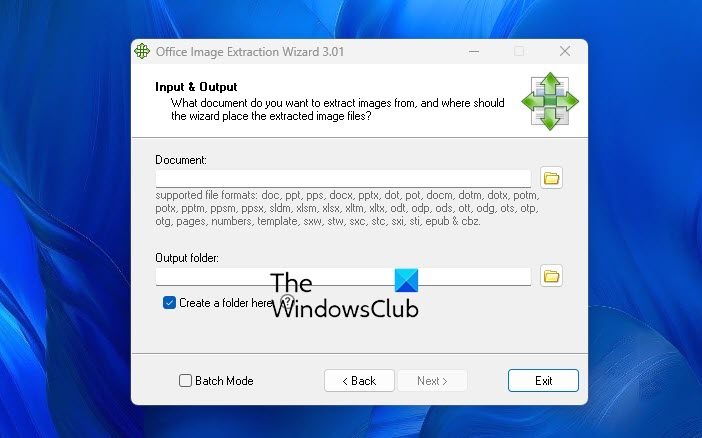
You may at times, feel the need to extract and save the images appearing in your Microsoft Office documents like Word, Excel, PowerPoint, etc. Doing so manually would indeed be time-consuming. Office Image Extraction Wizard is a free software for Windows computers that can help you in such cases.
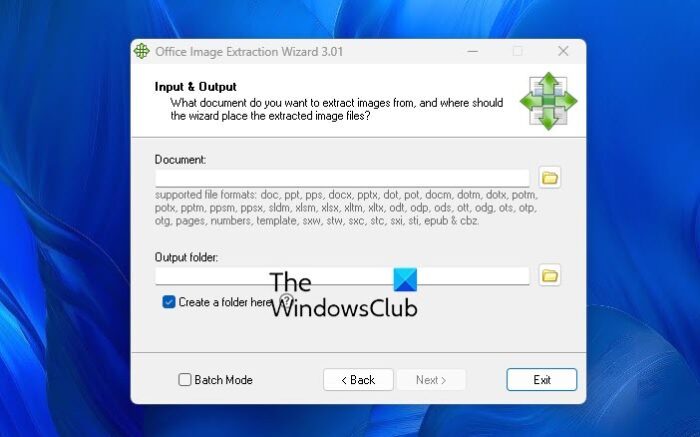
Extract images from Office documents
Office Image Extraction Wizard will allow you to extract and save in batch mode images for Microsoft Office documents quickly. It will not only extract the images but also save them to your hard disk as normal picture files, in common image file formats. The iImages are extracted in their native format, with no processing or re-compression being performed.
The supported Office Document Formats are:
- Microsoft Word ( .docx / .docm )
- Microsoft PowerPoint ( .pptx / .pptm )
- Microsoft Excel ( .xlsx / .xlsm )
- Electronic Publication Books ( .epub )
- Comic Book Archive (.cbz )
- OpenDocument Text ( .odt )
- OpenDocument Presentation ( .odp )
- OpenDocument Spreadsheet ( .ods )
Once you have downloaded and installed the program, simply run the wizard and fill in the details of the file/folders paths where the document is located and where you’d like to save the extracted images.
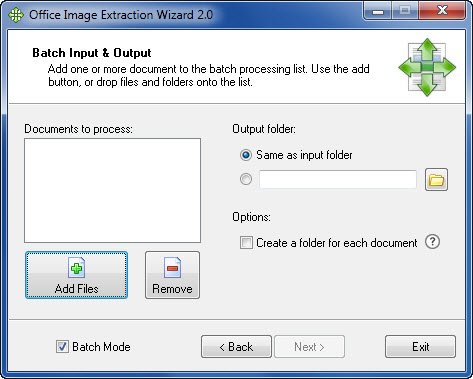
The program will do the needful. It is so simple!
Office Image Extraction Wizard download
You can download it from rlvision.com. It is free, open-source software.
Extract images from Word document
If you wish to extract images from a Word document, without using any software, click File menu > Save as Web Page. In the Save As drop down menu, select Web Page (*.htm; *.html). The images will be extracted from the document and placed in the folder named <TheDocumentName>_files in the same location as the saved web page. This post will show you three ways to extract Images from Word documents without using any software.
How do I extract images from a PDF?
To extract an image from PDF:
- Use the Select tool to click an image
- Right-click the selected image
- Select Extract Image
- Save the file to the desired location after naming it
- You need to specify an image file format: JPG, TIF or PNG.
Go here if you want freeware to extract images from PDF files.