
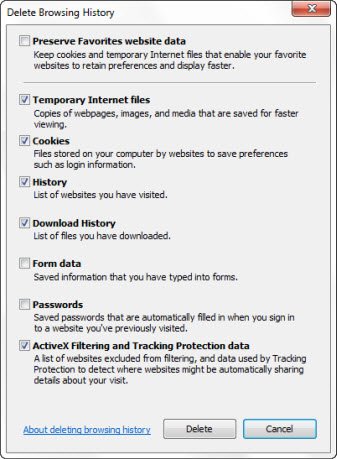
You may have used the Disk Cleanup utility to delete your browsing history, cache and cookies. Alternatively, you may have used the Delete Browsing History via IE > Tools button > Safety > Delete browsing history. But this would not delete Flash Cookies also known as Local Storage Objects or LSOs.

Delete Flash Cookies
Flash is an add-on and not part of standard HTML content. As a result, browsers have not been able to delete Flash cookies normally stored in:
C:\Users\[Username]\AppData\Roaming\Macromedia\Flash Player\#SharedObjects\[Random Name]
the same way they delete HTTP cookies.
To delete Flash Cookies, one had to follow one of these three ways of doing it.
But now Adobe has announced that Flash Player 10.3 integrates with Delete Browsing History in Internet Explorer.
Flash Player 10.3 has integration with browser privacy controls for managing local storage. Users will have a simpler way to clear local storage from the browser settings interface – similar to how users clear their browser cookies today. Flash Player 10.3 integrates control of local storage with the browser’s privacy settings in Microsoft Internet Explorer 8 and higher, Mozilla Firefox 4 and future releases of Apple Safari and Google Chrome.
This means that when you delete your cookies with Delete Browsing History, Flash Player will automatically clear your Flash cookies as well; provided of course you are using these versions of the software.
Microsoft has created a Test Drive demo page that you can use to test this out using your IE.
UPDATE – 30 Aug 2018: The demo page is no longer available with Microsoft.

