Minimize all windows & programs to notification area instead of taskbar

If you’d like to minimize your windows explorer, notepad and applications to the notification area instead of, to the taskbar, RBTray is a freeware that may interest you.

minimize rbtray Minimize all windows & programs to notification area instead of taskbar

Once you have downloaded and simply run the portable app RBTray.

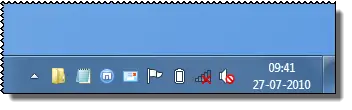
To minimize any program to the system tray (notification area) right click on the program’s minimize button .

To restore it, click the program’s icon in the notification area.

To exit the app, right click on any tray icon created by RBTray and click Exit RBTray in the popup menu.

If you want it to automatically start after you reboot, create a shortcut to RBTray.exe in your Start Menu folder.

Download Page: SourceForge.

minimize1 Minimize all windows & programs to notification area instead of taskbar

Want to minimize windows & programs to your desktop as Thumbnails instead of as Taskbar Icons, as in the above picture? Check this! Works in Windows 7 too!

If you have liked this post, you might want to check out some more, on topics like , .

About AnandK@TWC

Anand aka HappyAndyK is an end-user Windows enthusiast, a Microsoft MVP in Windows Desktop Experience since 2007, and the Admin of TheWindowsClub.com, TheGeeksClub.com & WinVistaClub.com. Creating a System Restore Point before trying out a new software or a tweak is always recommended.
Follow on Google: +AnandK@TWC

Ads

Random Posts

  • nima

    Excellent! I can’t believe how intelligent the innovator is. Thanks buddy! I’ve been waiting for it a long time.

    Greeting from Iran.

  • kiwichick

    Using Windows 7 Home Premium 64-bit. RBTray worked on the first window I minimised and then that was it. It hasn’t worked again. I’ve closed and restarted RBTray but it still doesn’t work.

  • kiwichick

    And your link is to an old version. There have been two updates since v4.1. Please change the link to v4.3. But even v4.3 doesn’t work for me.

  • http://www.thewindowsclub.com Anand Khanse

    Linked to its home page. Thanks. :)

© 2012 The Windows Club All Rights Reserved