
Google has its Google Dashboard, which offers a view into the data associated with your Google Account and lets you change your Google Privacy Settings. Though not so well-known and exhaustive, Microsoft too offers a Personal Data Dashboard that lets you view and manage some of your online personal information and gives you options to opt-out where possible.
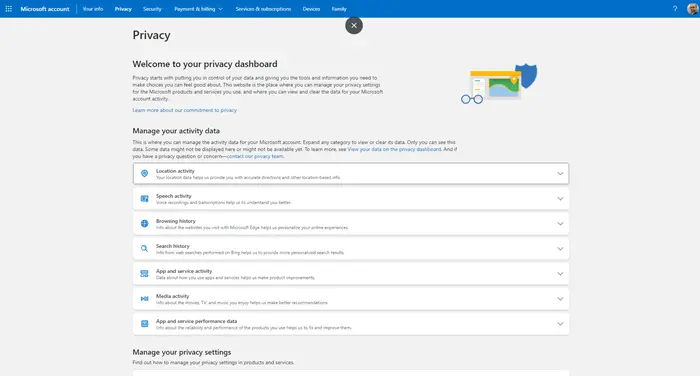
Microsoft Personal Data Dashboard
The Activity data has been divided under the following heads:
- Location activity
- Browsing history
- Search history
- App and service activity
- Media activity
- App and services performance data
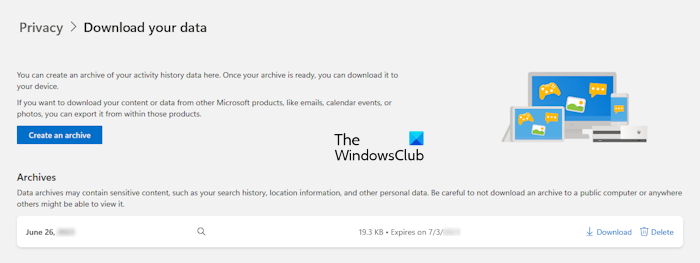
Click on any of the above-mentioned tabs to view and manage your data. To view all your data under a specific category, click on the Show more link. Microsoft also allows you to download your data on your device. To do so, expand any of the above-mentioned tabs and then click Download your data. After that, you will be redirected to another page where you have to create an archive. The time to create the archive depends on the amount of data you have. After the archive is created, you can download your data by clicking on the Download button.
Every archive you create will expire automatically after a set period. However, you can also delete the archive manually by clicking on the Delete button.
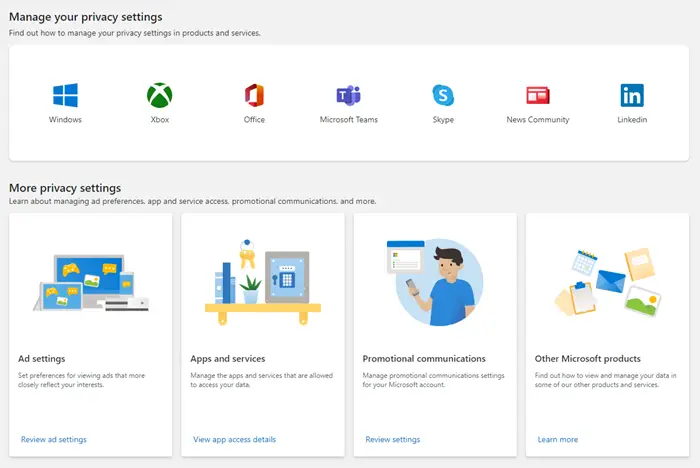
You can manage your privacy settings for the following Microsoft products and services:
- Windows
- Xbox
- Office
- Microsoft Teams
- Skype
- News
- LinkedIn.
You can also manage ad preferences, app and service access, promotional communications, and more!
The Microsoft Personal Data Dashboard lists down personal information about yourself, which you, yourself may have filled in while creating a Live account. If you wish you can edit and update your details here.
It also lists your Interests, Bing searches, and Microsoft newsletters which you may have subscribed to. Based on your Interests, Microsoft Advertising delivers targeted advertising to you. You can also add, delete or confirm the mentioned topics. The Bing search section lists your search keywords and the search results you clicked while signed into Bing. From the Newsletters tab, you can unsubscribe from any newsletter or subscription in this view by hovering over the newsletter and clicking unsubscribe. A nice way to centrally manage all your Microsoft newsletters.
You can also choose to opt-out of the personalized advertising experience. You can choose to not receive personalized ads on websites that use the Microsoft Advertising Platform, by not allowing it to use your information like Bing Searches, Interests, and Profile. In the Microsoft Email Communications section, you can opt-out of receiving email promotions or disallow sharing of your data with Microsoft Partners.
Microsoft is working on adding more services to this Personal Data Dashboard and given the heightened awareness of privacy issues now, among users, we hope that it will make the dashboard complete in all respects and very soon too! Visit Microsoft.com to get started.
Opt-out of Microsoft Advertising
Many of Microsoft’s Websites and online services are supported by Microsoft Advertising. To deliver targeted ads, Microsoft places a persistent cookie on your computer. Using this persistent cookie, Microsoft identifies you and delivers ads accordingly. In addition to delivering relevant ads, this information is used to help ensure you do not see the same ads repeatedly.
But if you want, you may opt out of receiving targeted ads from Microsoft Advertising by visiting its opt-out page too. This page not only lets you opt-out on a particular computer or browser but also from any computer even after you have signed in to Windows Live.
You will also see the details of the cookie stored on your computer. Pretty transparent, in my opinion!
Your Ad Choices
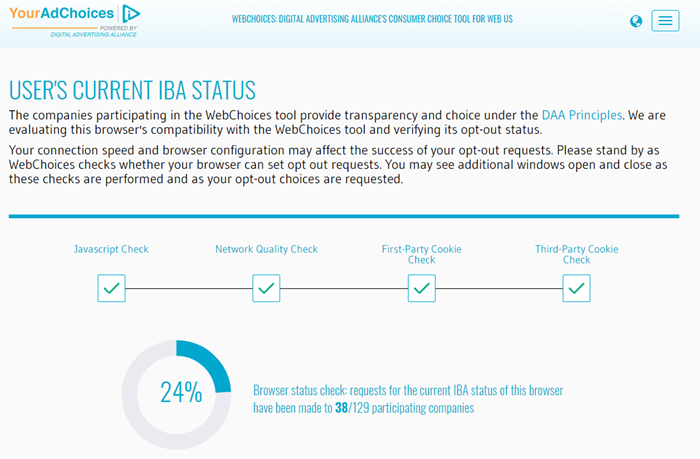
Incidentally, if you want to opt-out from receiving interest-based advertising you can do so here.
On this page, you can also find out which participating companies have currently enabled customized ads for your browser.
Now read how Windows lets you change Privacy options and settings. Also, see how you can manage and personalize ad preferences in Microsoft products. Want more? This post will show you how to Opt-out of Data Tracking & Targeted ads.
How does Microsoft use your data?
Microsoft collects data from users to help them do more. Microsoft uses the collected data to personalize users’ experiences and help them keep safe. Microsoft also uses this data to develop and improve its products and services. Users can view and enhance their privacy settings in Microsoft’s Privacy Dashboard.
Does Microsoft share personal data?
Microsoft never shares users’ data with third parties. Microsoft will share data only when authorized by the customer or required by applicable law. Microsoft also takes strong measures to protect users’ data from unauthorized access.
