Make Internet Explorer 9 show more sites on about:tabs homepage

Speed Up My PC

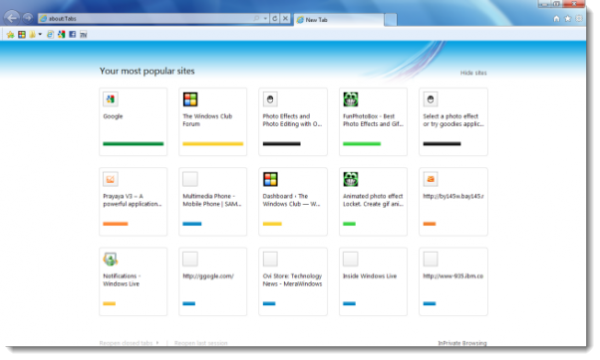
By default, Internet Explorer 9 shows 2 rows of your oft-visited sites on the about:tabs homepage, with each row having 5 thumbnails. However, if you wish, you can customize IE9 to make it show more rows with a simple registry tweak.
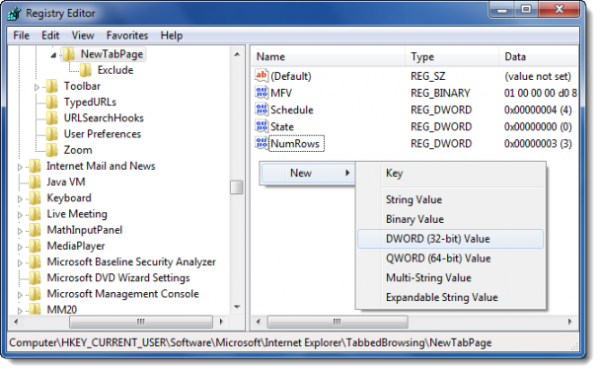
regedit about tabs 600x372 Make Internet Explorer 9 show more sites on about:tabs homepage

To do so, open regedit and navigate to the following key:

HKEY_CURRENT_USER\Software\Microsoft\Internet Explorer\TabbedBrowsing\NewTabPage

In the right pane in an empty spot right click and create a new DWORD and name it NumRows. Give it a value 3.

Restart Internet Explorer 9.

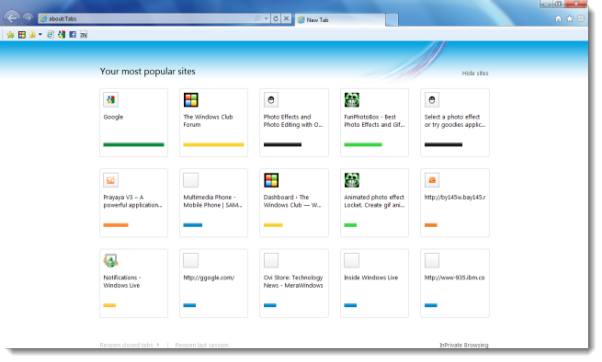
ie9 3rows 600x360 Make Internet Explorer 9 show more sites on about:tabs homepage

You will now see 3 rows being displayed.

You can give it any value between 2 and 5, with the default being 2.

Source: MSDN Blogs.

Lee adds: To use this registry edit, you will have to have history saved. If you have Delete Browsing History on Exit, checked, the registry entry for NewTabPage is deleted on exiting IE9 and you will have to recreate it each time you load IE9.

Posted by on , in Category IE with Tags
Anand aka HappyAndyK is an end-user Windows enthusiast, a Microsoft MVP in Windows Desktop Experience since 2007, and the Admin of TheWindowsClub.com, TheGeeksClub.com & WinVistaClub.com. Creating a System Restore Point before trying out a new software or a tweak is always recommended.
  • Lee@TWC

    Should also be noted that to use this registry edit, you will have to have history saved. If you have Delete Browsing History on Exit, checked, the registry entry for NewTabPage is deleted on exiting IE9 and you will have to recreate it each time you load IE9.

  • http://www.cametoofar.com Abhilash

    Hi,
    There is already a small utility available, implementing the same (http://blogs.cametoofar.com/post/Internet-Explorer-9-beta-Quick-Tabs-Extender.aspx)

    Thanks