
If you find that your Internet Explorer takes time to open new tabs, and you get to see Connecting… for quite some time, then here is what you may wish to try. This may help you make Internet Explorer open new tabs faster.
Open Internet Explorer > Settings > Manage Add-ons.
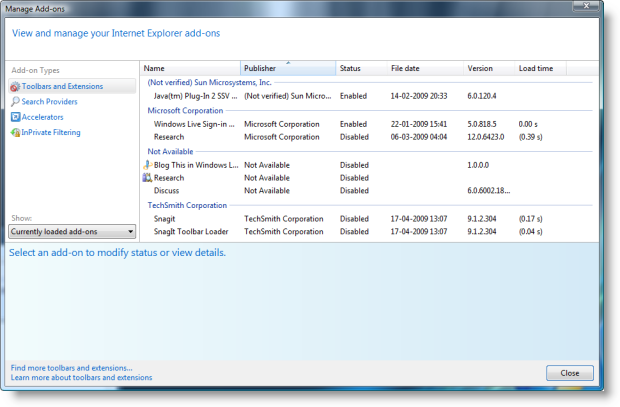
View Addon Load Time & disable addons in IE
Now look in the Load Time column. This column shows the average time to load the add-on and the wait time to finish initializing for each new window or tab creation.
If you do not want to keep a slow loading add-on around, or if you do not use some add-ons like say Research, you can disable it, and it won’t be loaded the next time you open a new window or tab.
When you disable an add-on, the new add-on management feature in IE finds all related add-ons that are also part of the browser extension that you are disabling, and allows you to disable them as well.
Hope this helps!

