
If you have a large monitor, and you always get irritated when you have to keep moving your mouse pointer to the center of the screen to acknowledge small dialog boxes that appear, and if you’d rather prefer, that the small dialog window move automatically to fall somewhere under where your mouse pointer is at the time of clicking the button that caused the small dialog window to appear, then this portable freeware app DialogMove maybe what you are looking for.
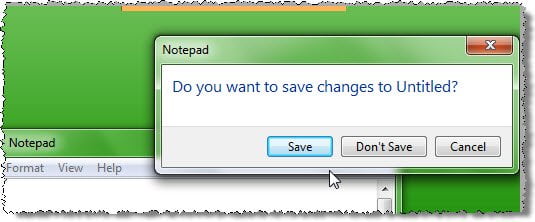
Move the dialog box to the mouse pointer
DialogMove is a small script that moves small dialog windows to a location near your mouse position as soon as they are created.
Rather than your having to move your mouse, from, say, a far side to the center for clicking on OK’s and confirmations, the confirmation windows move to near your mouse positions.
So I ran the portable app in my Windows 7 and was pretty happy with the result.
I closed a notepad without saving it and was pleasantly surprised to see the dialog windows appear near my mouse cursor, which was at that point of time located in the top right corner of my screen, near the notepad, and it sure bought a smile to my face.
Pretty handy if you find yourself clicking on Yes’s and OK’s many times during the day.
You can download it by clicking here.
PS: You can also automatically move the mouse pointer to the dialog box in Windows.

