
Windows Live Mail downloads and stores the mail on your disk. While you can always access your emails, email ID’s, etc from the Windows Live Mail, you may want to know the location of the folder where they are stored.
Windows Live Mail Store Folder location
To identify the location of Windows Live Mail Store Folder, open Windows Live Mail > Tools > Options > Advanced > Maintenance > Store Folder.
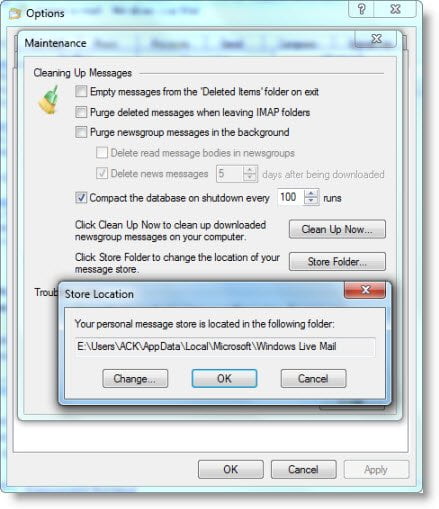
If your Windows operating system is installed on E drive, you will see it at the following location:
E:\Users\username\AppData\Local\Microsoft\Windows Live Mail
Over a period of time, this folder may become large. So you may if you wish, also change the location of the Store folder here.

