
Watching videos online is a habit that is growing substantially these days. The world has seen an astonishing increase in PC/Phone users watching videos online. However, sometimes you need to download these videos for offline viewing. Now, downloading any video usually calls for software, but you also have numerous online video downloading tools available at your command. In this post, we will talk about a few websites that allow you to download videos online from various sites like YouTube, Dailymotion, Facebook, X (Twitter), Vimeo, Netflix, Vimeo, etc., without the need of installing any software.
Download Videos Online
Most video websites, especially the big giants like YouTube, Dailymotion, etc., allow you to save a video for offline viewing, but it gets stored in various cloud storage services. None of these sites offer an option to save videos offline on your PC. Below are some of the best video downloading websites that help you grab any video by feeding its URL to the website.
There are several video-sharing sites offering various video clips, movies, music videos, personal videos, etc. that you can watch on your web browser. Some of them are YouTube, Vimeo, Daily Motion, and more. However, each time you wish to access a particular video, you need to go to the specific site where you watched it in order to play it again. If you want to share the video with others, you may share the link but they need to have an Internet connection in order to view it.
If you want to save a copy of the video so you can play it on your computer or compatible devices without going online, you can use a video downloader. There are free applications for downloading videos online. Some are web-based, while others need to be installed on your web browser as plug-ins or on your computer as stand-alone applications.
Online Video Downloader and Converter
A web-based online video downloader can be accessed on any web browser. This means that whatever platform you are using, you can go to the site and use the application.
Free online video downloaders
1] VideoGrabber
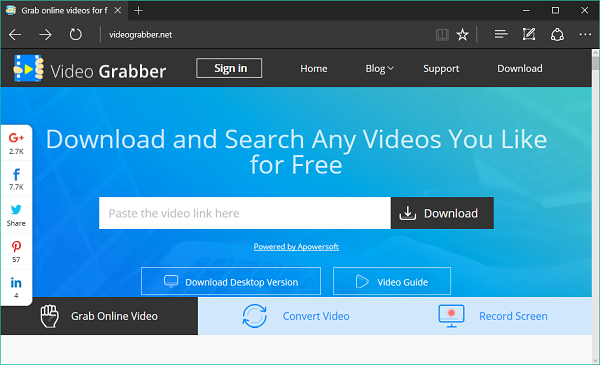
Video Grabber offers convenience as it does not require any installation. As mentioned, you just need to go to the site, copy and paste the video URL you wish to download and click the Grab It button. You can then choose the video format and wait for the download process to finish.
The home page of Video Grabber is intuitive and straightforward, and anyone can download videos from websites online without difficulty. Depending on your connection, the download and conversion process is usually quick, so you don’t have to wait long to get the output.
Video Grabber supports over 1,000 video-sharing sites on the Internet, including all major platforms. You can download almost all videos online by following the steps provided above. Since Video Grabber Online is free, you can download the videos without spending a single cent.
Video Grabber is not just one fine video downloader. It also supports the conversion of the downloaded video into various formats including FLV, 3GP, MP3, and HD videos. Other tools will download videos as per their default format and do not offer the option of converting them to other formats. Since Video Grabber has a built-in converter, there is no need to use a separate video conversion program. You can choose a format that is compatible with the player or device where you intend to play it. supported formats.
You can also download videos from various video-sharing sites by downloading and installing browser plug-ins or downloading software. While plug-ins also come for free, they require installation so this may not be a good option if you prefer not to go through the installation steps. Furthermore, plug-ins only work on specific browsers. If you use another browser, you must install a plug-in that works on that specific browser, which could be inconvenient. This could also make your browser slow.
Using video download software also requires installation. Furthermore, they usually come with a free trial that expires after a few days. To continue using these programs, you need to download the full version, which would require you to pay a specific amount.
Given all these, if you like to download videos frequently, you may use a user-friendly free online video downloader like Video Grabber, because of its convenience, support to various sites and formats. Click here to check it out.
2] SaveFrom.Net
SaveFrom.Net is one of the faster ways to download online videos. You get the various video formats and resolution options to download within seconds of putting in the video URL. What I personally like about this website is that it also allows you to download subtitles for the video that you are downloading in different languages. It supports most of the video resource websites so you can feed any video URL into the website and sit back while it gets downloaded.
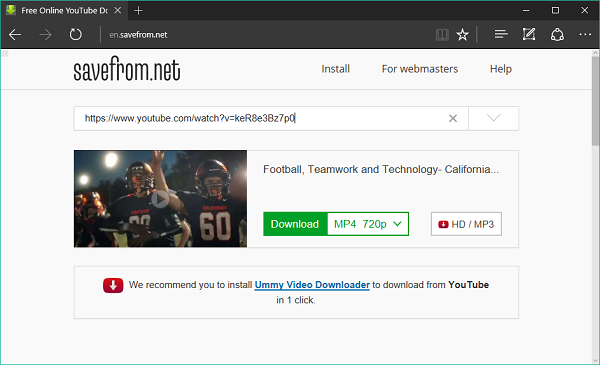
Another great feature about this website is that you don’t even need to open the website to download the video. Just add “savefrom.net/” or “sfrom.net/” before the video URL and press Enter. It also provides the browser add-ons to port the functionality native to browsers.
3] VideoGrabby
Minimalistic in design, VideoGrabby.com offers a plain sailing approach to download the video in best-suited file format and resolution based upon your network. You can also download MP3 file by feeding in the video URL. It goes recommended from our side if you want a neat and effortless way to download videos online.
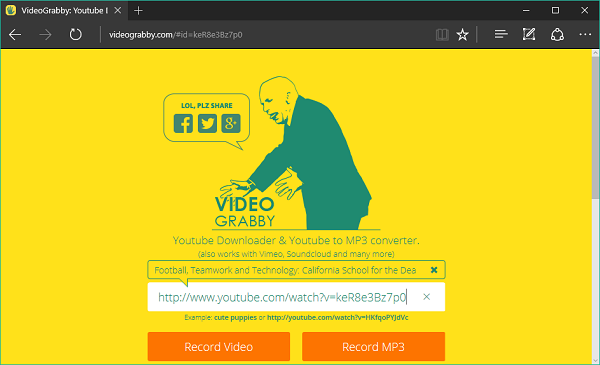
Same as other sites, just copy the video URL and paste it into the search box. VideoGrabby automatically captures the video description if the corresponding website is supported (yes, it does support many!). You can also switch to the HQ (High Quality) mode for better resolution.
Read: How to download LinkedIn videos to computer.
4] KeepVid
This is another hot favorite on our list. With the wide range of download option, KeepVid allows you to batch download full YouTube playlist videos where you just need to provide the playlist URL. You can also convert the video files into several audio formats online itself. Providing support for a spectrum of video sites, KeepVid also supports downloading 1080p and 4K videos.
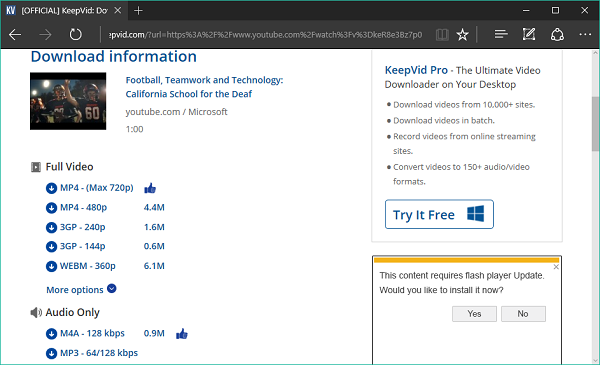
If you are interested, it also offers desktop and mobile downloader versions, as well as browser extension support for Google Chrome, Edge, Firefox, and more.
Read: 4K Video Downloader review.
5] Yoo Download
YooDownload is yet another website with a straightforward approach for downloading videos. With no extra requirements, you just need to paste the video URL from any site that is supported (no list of services available) and click Download. Based on the video quality, you get the file type and file size for download. Like the above downloaders, it also allows you to convert any video to MP3 file.
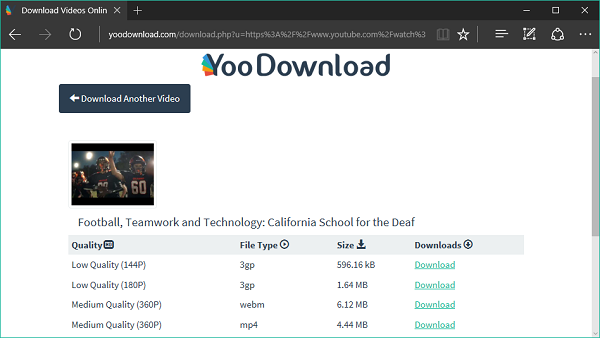
It also has a dedicated Facebook Video Downloader website here – fbdown.net. and Twitter Video Downloader website here that you can take advantage of.
Bonus Tips:
1] VidPaw is a free online video downloader & MP3 converter site you want to check out.
2] FreeGrapApp offers freeware that let you download videos from Netflix, YouTube, Facebook, Dailymotion, Twitch, Vimeo, XVideos, and MySpass.
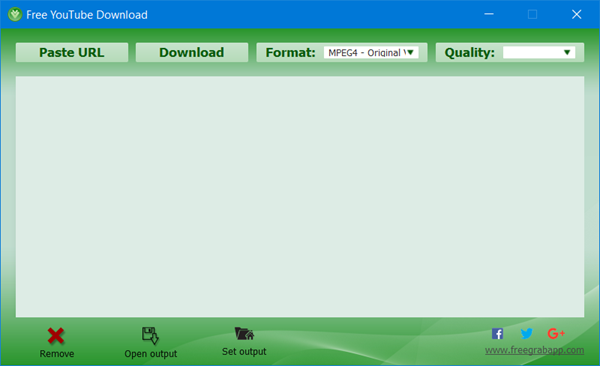
Go here and download the app you want for the specific service. The freeware for each is around 40-50MB, and they need to be downloaded and installed.
While on this topic, take a look at this post if you want to download Facebook Videos without using any Software or Online service.
