
Ever been stumped with an error code your Windows installation threw up and did know where to look it up? There are a few tools that can help you identify the Error Code and Message that Windows may throw up. Let us have a look at a few of such free Windows Error Code & Message Lookup Tools that can help you find out the meanings of such Windows error codes and messages.
Windows Error Code & Message Lookup Tools
Windows Error Lookup Tool, Error Messages, ErrMsg, Error Goblin, etc. for Windows are some free error code lookup tools that can help you identify what Windows error codes means. This post also lists useful links to download and web pages that can help you identify the error codes and check up on error messages:
- Microsoft Error Code Lookup Tool
- Error Messages for Windows
- Windows Error Lookup Tool
- Error Goblin
- ErrMsg
- Windows Error Code Lookup
- Error Lookup Tool
Now let us take a look at them.
1] Microsoft Error Code Lookup Tool
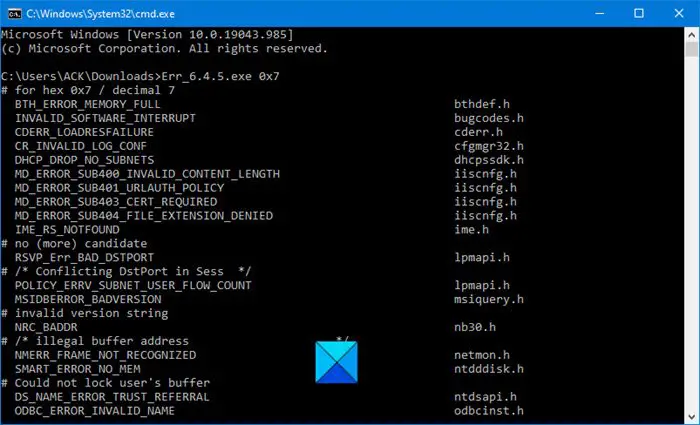
The Microsoft Error Code Lookup Tool, may say it’s for Exchange, but it covers Exchange, Windows and a number of other Microsoft products too. This command-line tool can help determine error values from decimal and hexadecimal error codes in Microsoft Windows operating systems.
The syntax for running this tool is:
Err_6.4.5.exe <error code>
Here <error code> represents the hexadecimal code that you want to look up.
For instance, if you gave system error code 0x7, you have to run the following command:
Err_6.4.5.exe 0x7
2] Error Messages for Windows
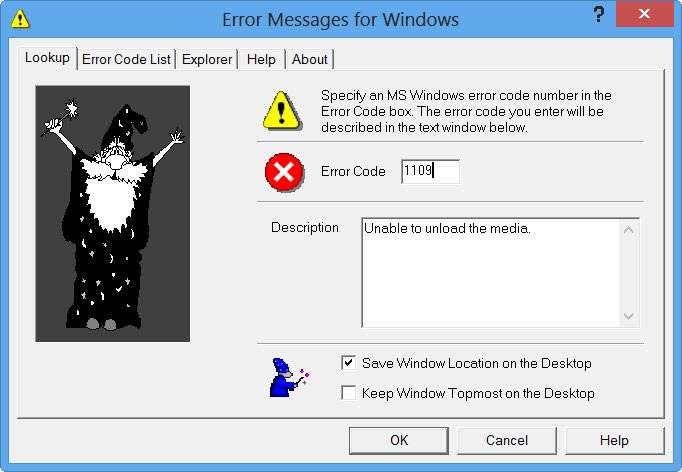
Error Messages for Windows will allow you to look up Microsoft Windows error code numbers and display a descriptive message explaining what the numeric code actually means. It also lets you display and print all of the error codes and messages defined for your version of Windows. Error Messages for Windows have now been updated for Windows 10 and you can download it from gregorybraun.com/MSWinErr.html.
3] Windows Error Lookup Tool
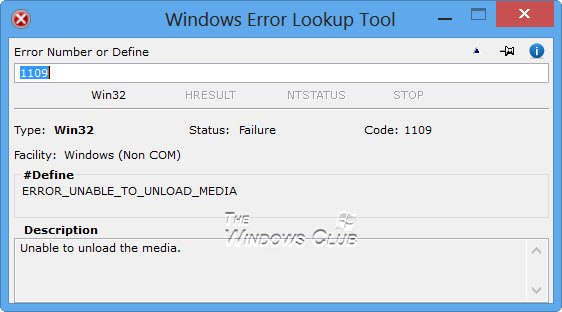
Windows Error Lookup Tool is another tool that can help you look up Windows error codes. If you have software programs that produce numeric error codes, you can find out what they mean using these tools.
4] Look up Windows error code with Error Goblin
Error Goblin is a free and portable Windows application so that you can check up on error codes when your network is down. While one can always visit the website online to check up the error code details, this app now lets you do so online too.
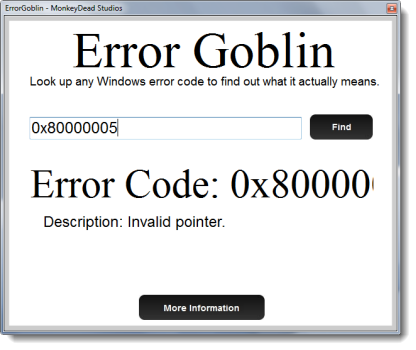
While one can always visit the website online to check up the error code details, this app now lets you do so online too.
If you need additional information on the error code, click on the More information button and a webpage will open up giving you additional information bout the same and a solution if it is available.
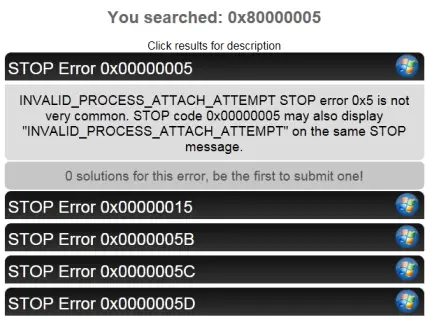
Using error Goblin, look up any Windows or Mac error codes to find out what they actually mean. You can download it from Softpedia.
5] Identify Windows Error Messages with ErrMsg
ErrMsg is a small portable freeware that lets you identify the Error Message codes which you may receive on your Windows computer. The app returns error descriptions and HRESULT return codes.
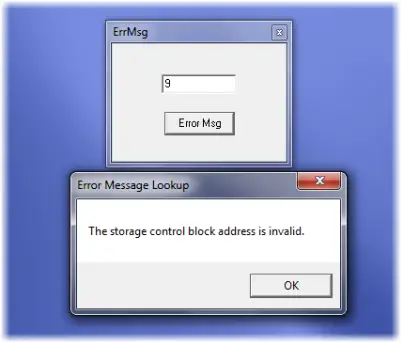
A typical Windows system error would be decimal 5 for “access denied” or 2 for “the system cannot find the file specified” or 3 for “the system cannot find the path specified” etc..
An HRESULT return code is the one that starts with 0x and then 8 digits. For example, E_FAIL is the hex number 0x80000008 and returns the string “unspecified error” since it’s a catch-all COM or ActiveX error that just means the operation failed. 0x80000005 is an “invalid pointer” which means there’s a good chance the programs’ memory got corrupted or it used an uninitialized pointer.
Download it from Softpedia. It works fine on Windows 11/10/8/7 too!
6] Windows Error Code Lookup
The Windows Error Codes document lists the common usage details for those Win32 error codes, HRESULT values, and NTSTATUS values. The Events and Errors Message Center lets you search for and find detailed message explanations, recommended user actions, and offers links to additional support and resources. This post on Windows Errors, System Error Messages and Codes will give you the complete list and meaning of the errors.
7] Error Lookup Tool
Developed in C/C++, Error Lookup Tool is a minimal and extremely lightweight tool, yet immensely useful. With an easy to use interface, you can quickly get a hang of error description which can help you troubleshoot your issue.
The tool offers a straightforward UI that is easy to understand. You need to go ahead and put in your error code and all the details will be flashed in the lower part. You can see the details like error description and their related system module.
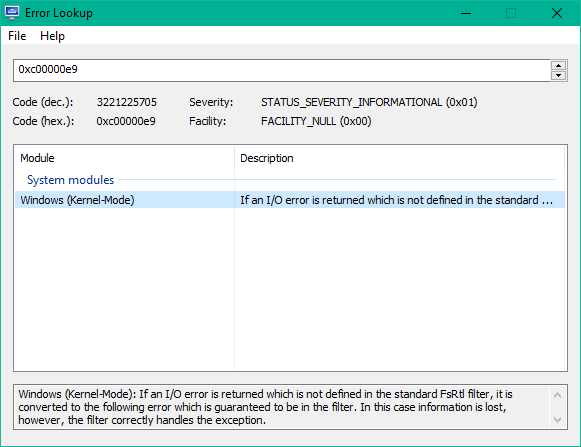
The program provides support for a broad range of error codes like your regular Windows errors, Task Scheduler Service, NTSTATUS errors, Windows Internet errors, STOP codes, BSOD errors, just to name a few.
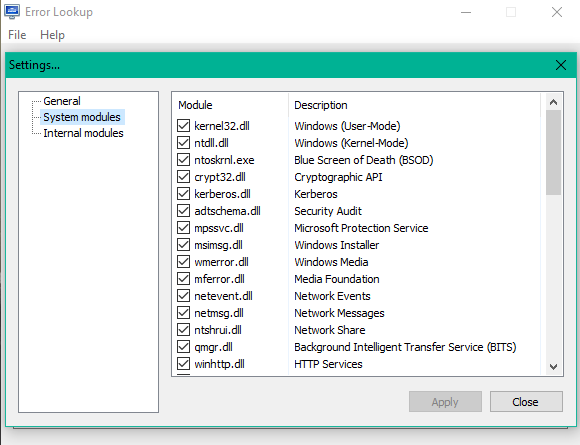
You can also configure the tool to include/exclude any particular system module via File > Settings > System modules.
Apart from this, you can configure the tool to insert a buffer on startup.
The software also supports a multitude of widely used languages, apart from English which is the default selection.
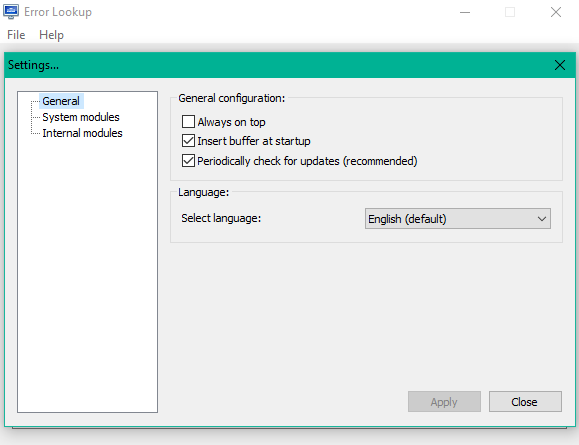
You can download this tool from its official website here on henrypp.org. The application is compatible with all versions – from Windows XP SP 3 to Windows 10.
You can choose to download either the installer file or a portable version. In order to activate the portable mode, you would have to create “errorlookup.ini” in the application folder, or move it from “%APPDATA%\Henry++\Error Lookup”.
How do I check for errors in Windows 11/10?
There are multiple ways to check for errors in Windows 11 and Windows 10 computers. However, Windows Error Lookup Tool is one of the best tools to find details about the errors that appear on Windows PC. It displays the kind of error based on the error code you entered in the app.
How do I find Windows errors?
You can use the Windows Error Lookup Tool to find Windows errors on your computer. It is a neat and clean app that you can use to find details about the error. Whether it is a Windows Update error, activation error, or something else, you can find all the information about the error code.
Speaking of Error Codes, these posts too, are likely to be of interest to you:
- Volume Activation error codes and error messages
- How To Copy Error Codes & Messages From Dialog Boxes
- Windows Bug Check or Stop Error Codes
- MSDN’s List of System Error Codes.
- Master List of Windows Update Error Codes.
I hope this post helps you.
