
Device Manager displays a list of all devices that are installed on a Windows computer. When you view device information in Device Manager, you may see a device listed as Unknown Device next to a yellow exclamation mark.
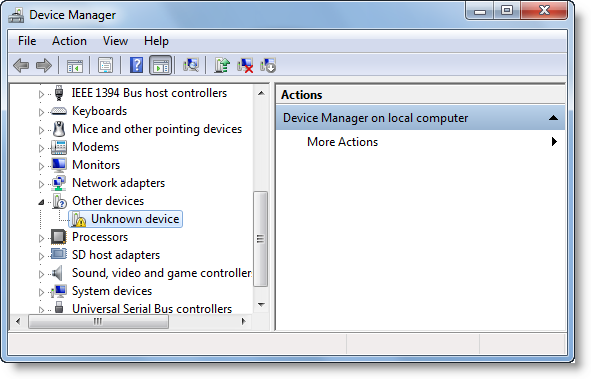
Unknown Device Driver in Device Manager of Windows
If you see such an entry, it may be difficult to determine the cause of this unknown device because there are few indications of what generates it.
The main reason for the Unknown Device to display in your Device Manager is that you have a device that is not working correctly.
Causes of Unknown devices in Device Manager:
- The device does not have a device driver
- Unrecognized Device ID
- Using an older Microsoft Windows Device Driver
- Faulty Hardware or Firmware
How to Identify Unknown Device
You can check out Unknown Device Tool. It is a small utility available at Sourceforge that was written to provide computer technicians with a simple way to identify those “Unknown Device” devices that show up in Microsoft Windows after a fresh install.
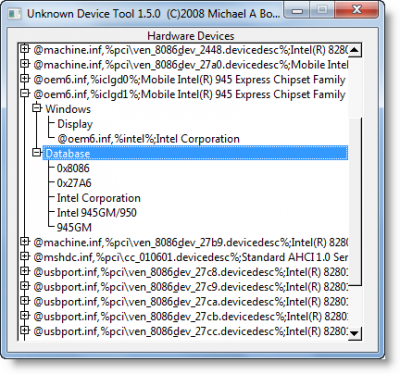
Run the portable app and all the Hardware Devices that are listed as Unknown Devices will be listed.
However, this app only displays PCI and AGP devices. It will not be able to help with ISA-based devices and original PCMCIA cards. Moreover, it shows all devices found in the Windows registry, including devices that no longer exist.
There is another freeware Unknown Device Identifier. This tool allows you to identify the Unknown Devices and gives you a detailed summary for the manufacturer name, OEM, device type, device model and even the exact name of the unknown devices.
How to fix Unknown Device Driver in Device Manager
To fix this issue, obtain an updated driver for the device via Windows Update or by a direct download from the internet. This post offers more suggestions on what you can do if you see a Yellow Exclamation Point next to a device in Device Manager.
This post will show you how to find, download, and install Drivers for Unknown Devices or Hardware.
You can also use the Driver Verifier Manager to troubleshoot Driver Problems.
For a detailed read on manual troubleshooting, visit KB314464.
Additional resources:


Your Windows Phone 7 or Zune device was not detected