
Dead Pixels are a common problem that LCD screens face. When a pixel goes dead, the LCD monitor does not display the correct color output. In a dead pixel, all three sub-pixels are permanently off, producing a pixel that is permanently black.

What is a Stuck Pixel?
A stuck pixel is stuck on any particular color, it is always ‘on’. It can be repaired. They continue to receive power at all times.
What is a Dead Pixel?
A dead pixel is simply dead and is mostly black in color. They do not receive power. It is difficult to fix dead pixels.
Free Dead Pixel Fixer apps to test and fix dead pixels
Now let us take a look at some dead pixel fixer apps for Windows 11/10:
1] Pixel Doctor
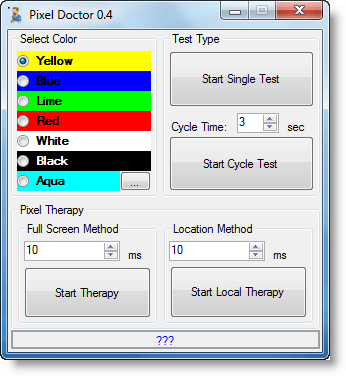
It is a handy utility that will enable you to easily repair the dead pixels on your LCD screen. To fix a dead pixel, select a color and the Start Single Test. If you see any dead pixels on your LCD screen, run the Start Therapy tests, either through the Full-Screen Method or Location Method. You can download it here.
2] InjuredPixels
This is another such tool that performs basically the same function. InjuredPixels allows you to easily check for dead or defective pixels on LCD monitors. InjuredPixels can be used to test a new LCD monitor before purchasing, or an already purchased monitor during the warranty period. Go get it here.
3] Pixel Repair
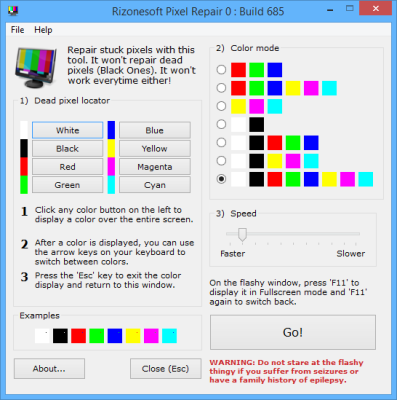
Pixel Repair lets you detect the stuck pixels by a manual screen test, you can click any color from the Dead Pixel Locater and the color will be displayed on the entire screen and then you will have to manually look for any dead or stuck pixels, you can change background colors by using the arrow keys from your keyboard and once you are done with locating those dead pixels you can press escape to return back to Pixel Repair. If you aren’t able to find the dead pixels, you must look into the examples below the Dead Pixel Locater.
4] IsMyLcdOK
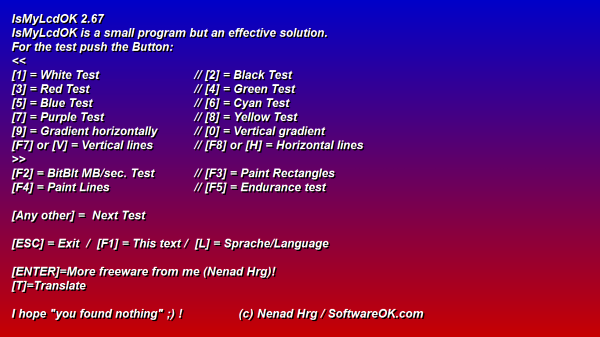
IsMyLcdOK lets you check your Windows computer monitor for dead pixels. Once the program has been extracted, click on the executable file, and right away the user interface should pop up.
I hope you find these tools useful.

