
The Steps Recorder (earlier called Problem Steps Recorder) or PSR.exe in the Windows 11/10 operating system is a feature that enables users to record their interactions with an application and provide a detailed screen-by-screen view with accompanying information.
UPDATE: Steps Recorder is being deprecated
How to use Steps Recorder or PSR.exe in Windows 11/10
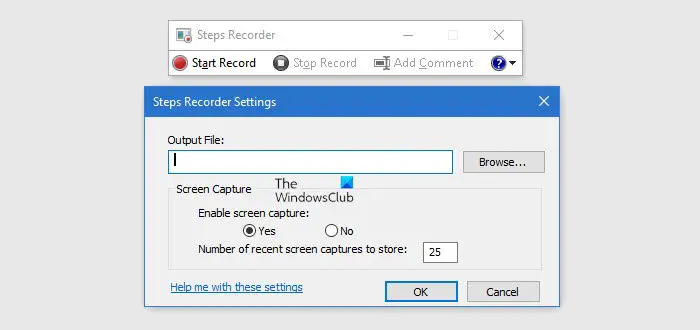
Solving problems unique to a machine can be an arduous task for both the end-user and the help desk. That’s why Windows introduced the Steps Recorder, a screen-capture tool that allows the end-user to record the problems they’re having step-by-step.
An HTML-based file is converted to a .ZIP folder, which is easily passed on to the person helping you.
Type psr in start search and hit Enter to start the Steps Recorder.
Click the Start Record button and continue the steps to reproduce the problem/error.
You can also add comments then and there, by clicking the Add Comment button.
Once done, click the Stop Record button. Mention the output file name and save the file.
You can then send the file to the person who is helping you.
To view recorded steps in Windows using Steps Recorder, open Windows Search, type Steps Recorder in the search bar, and click on the Steps Recorder tool. From there, you can access and review your recorded steps. This method allows you to navigate and analyze your recorded actions on Windows easily.
Read next: How to disable Steps Recorder in Windows.

