
The Windows 7 Start Menu has some programs pinned to it by default. Some get pinned when the program is installed. You can easily remove program shortcuts that may have been pinned to the Start menu by right-clicking them and selecting Unpin from Start Menu.
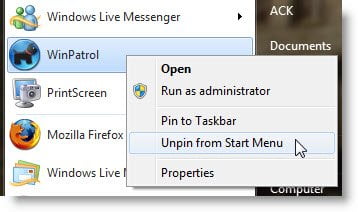
But if you have pinned some system folders like Computer, Recycle Bin, Control Panel, etc, you may not get the option to Unpin the program from the Start Menu.
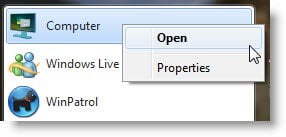
Unpin system folders from the Windows 7 Start Menu
To unpin such un-removable programs and folder shortcuts, open regedit and navigate to the following key:
HKEY_CURRENT_USER\Software\Microsoft\Windows\CurrentVersion\Explorer\StartPage
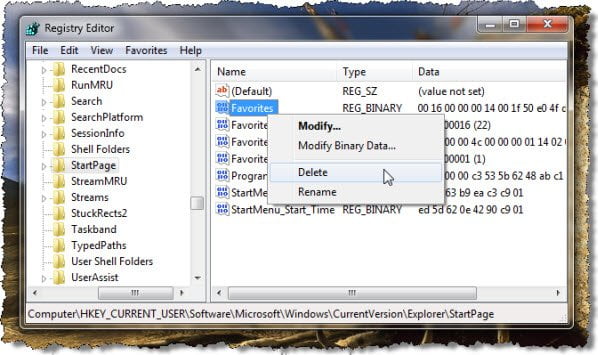
In the right-side pane, delete Favorites.
Restart your Windows computer.
The Start Menu will be reset to default.
Hope this helps!

