
Whenever you start Windows Media Center, you see an animation first. During this period, the application is initializing itself. If you don’t like the start-up animation in Windows Media Center, and you would like to skip it, here is how you can do so.
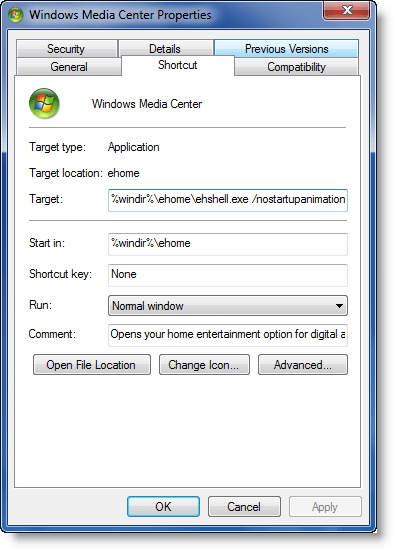
Skip Windows Media Center start-up animation
Open Start Menu > All Programs. Right-click on Windows Media Center icon and open its Properties box.
Here in the Target box, you will see the target as:
%windir%\ehome\ehshell.exe
Add the switch, /no startupanimation after it.
That is, make it:
%windir%\ehome\ehshell.exe /no startupanimation
Click Apply > OK.
This will turn off the start-up animation in Windows Media Center.

