
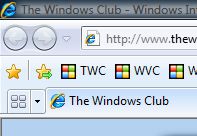
Here are a few tips on how to find, save, import, export & back up Favorites or Bookmarks in Internet Explorer. To save a website as a Favorite, simply click on the Star icon and add it to the desired folder.
Backup, export, import Favorites, Bookmarks, Settings in IE
In Internet Explorer saved web links are called “Favorites”. In Firefox or Chrome, they’re called “Bookmarks” – but basically, they mean the same thing.
To add it to the Favorites bar, click on the Star icon with the green arrow. It will create a bookmark for the current tab and place it on the Favorites tab. Rename them to what you wish.
The Favorites bar is the new name for the Links toolbar that was in previous versions of Internet Explorer. As before, you can drag web addresses from the Address bar to the Favorites bar, but now you can also drag links from web pages you are viewing.
You can also use the Favorites bar to monitor RSS feeds you’ve subscribed to, and to store your collection of WebSlices.
Where are favorites stored in Windows
Under Windows 10/8/7/Vista, Favorites are stored under C:/Users/Username/Favorites.
You can backup your browser settings, including Favorites/Bookmarks using the Import and Export wizard.
Open IE > File > Import and Export > Export > Next > Save in directory > Finish.
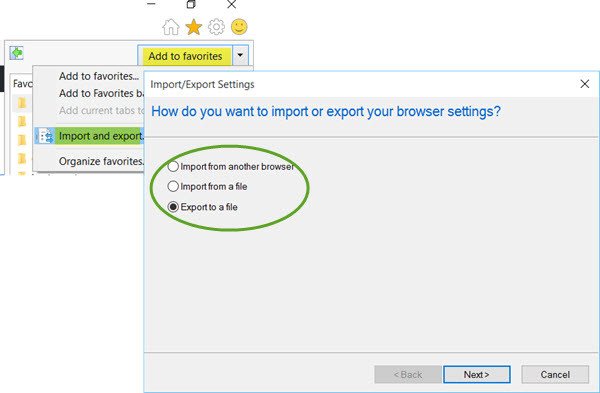
The default file name is “bookmark.htm”.
You can import this favs file anytime back using the import option of the same wizard.
Read: How to import Internet Explorer Favorites to Edge browser
Backup Internet Explorer settings, favorites, password, history easily with BackRex
BackRex Internet Explorer Backup is a Backup and Restore Tool for Internet Explorer. It allows you to backup favorites, history, proxy settings, fonts, dial-up accounts, auto-complete passwords, and cookies.
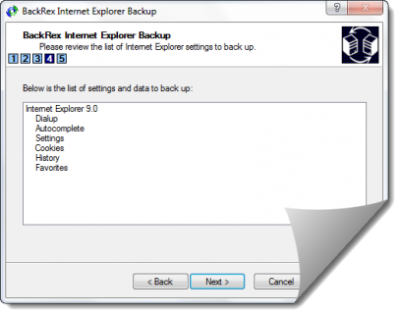
BackRex Internet Explorer Backup can help you to move all your Internet Explorer settings from one computer to another, even if it has a different version of Windows and/or Internet Explorer installed. For example, you could backup your IE settings from one PC and restore them to IE on another PC
It also has a Scheduled Backup feature that allows you to backup all your data on a regular basis – daily, weekly or monthly.
The following data and settings are saved and restored by BackRex Internet Explorer Backup, in Internet Explorer:
- Favorites
- Proxy & connection settings
- Security zones
- User customizations
- Cookies
- History
- Dial-up accounts
- Form Autocomplete entries.
Visit Home Page.
See this post if Favorites are missing in Internet Explorer.

