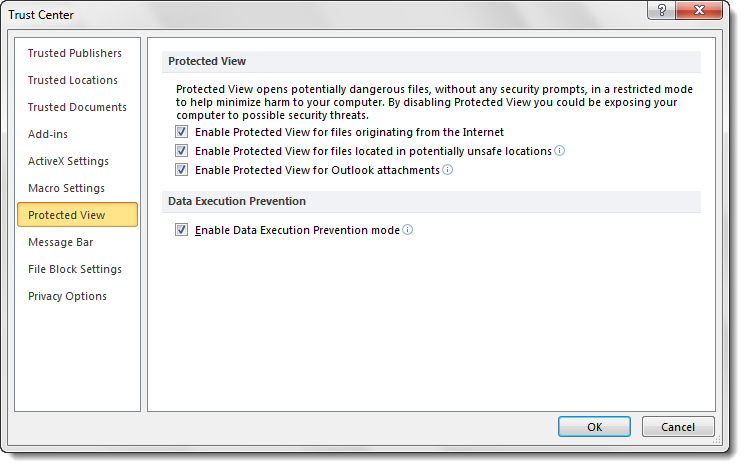
Today, we will see how you can disable Protected View in Microsoft Office programs like Excel, Word, PowerPoint, etc., via the Trust Center – also called Data Execution Prevention Mode. Protected View in Microsoft Office 2021/19 helps keep your Windows computer protected from potential security damage. But if you want to disable Protected View in Microsoft Office, you can do so as follows.

Disable Protected View in Microsoft Office
To disable Protected View and remove Read-only in Microsoft Office files, you have to:
- Open the file
- Open its File Options
- Click on Trust Center tab
- Make your selection here.
Let us see the procedure in detail.
Open the Microsoft Office program like Word, Excel, PowerPoint, etc., and click on the File menu.
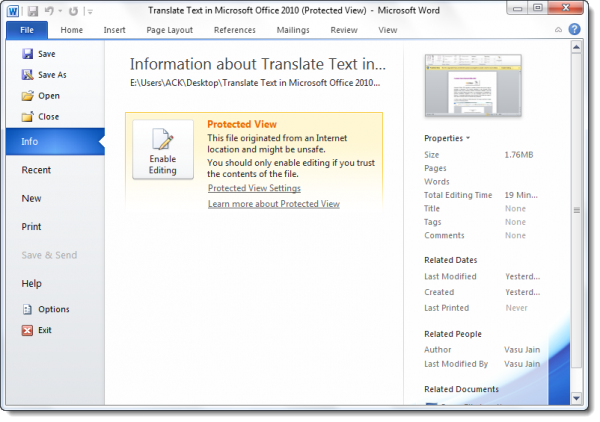
Next select Options.
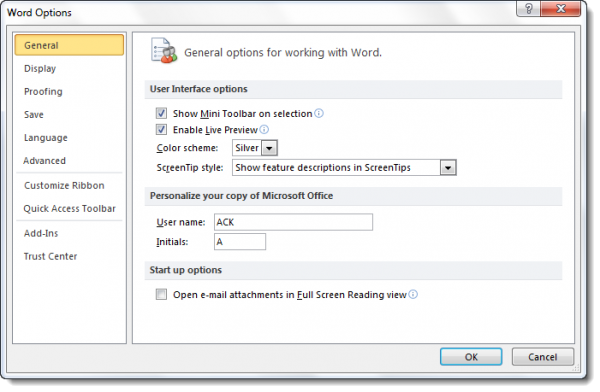
This will open the document or Word Options.
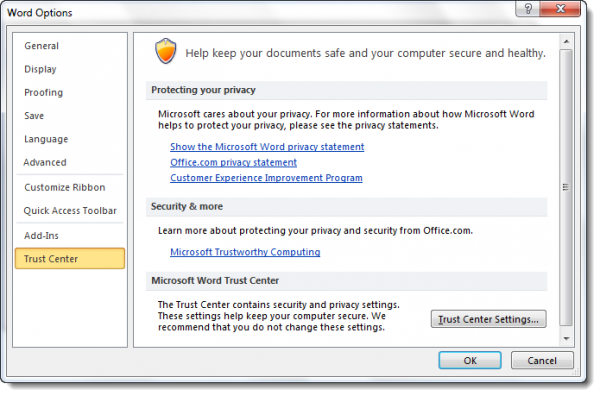
In the left side, you will see Trust Center. Click on it.
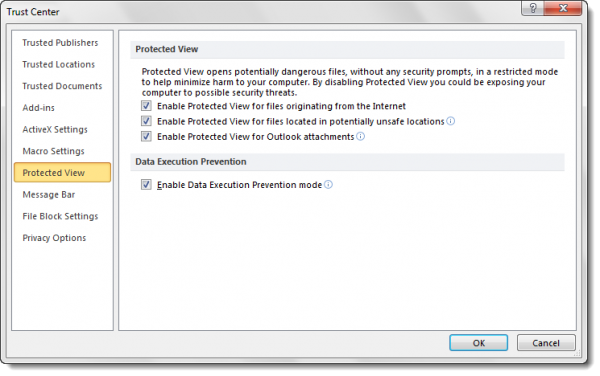
The Trust Center contains security & privacy settings, which help keep your computer secure & safe. It is advisable not to change them .you have three options:
- Enable Protected View for files originating from the Internet
- Enable Protected View for files located in potentially unsafe locations
- Enable Protected View for Outlook attachments.
Make your selection and exit.
Should you wish to disable the Protected View or Data Execution Prevention mode, you can select your preferences here.
Do note that the Protected view opens potentially dangerous files, without any security prompts, in a restricted mode to help minimize=e harm to your Windows computer. By disabling Protected view, you could be exposing your Windows PC to possible security threats.