
In case you find that your sound volume is not to your satisfaction or not as loud or clear as you would like it to be, even though both, the volume mixer and the application’s volume is set to the maximum level, you may try to enhance the sound quality by making a few changes to your current speaker configuration in Windows 11/10.
Improve Speaker Sound Quality in Windows 11/10
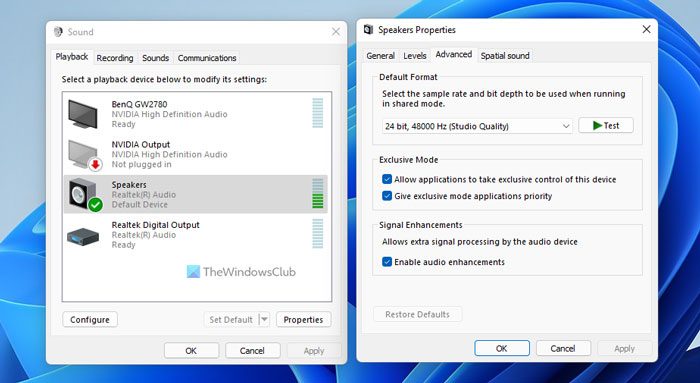
To do so, right-click on the speaker’s icon on the right side of your Windows 11/10 taskbar and select Sounds.
Click on the Playback tab, select Speakers, and click on Properties.
Here you can select or deselect the enhancements to apply for your current speaker configuration.
Click on Settings tab of each of these options to further fine-tune the sounds:
- Bass Boost will boost the lowest frequencies
- Virtual Surround will encode surround audio for transfer as stereo output
- Room Correction will compensate for room & speaker characteristics
- Loudness Equalization uses understanding human hearing to reduce perceived volume differences.
Checking the Loudness Equalization option may increase the volume a bit.
That’s it. I hope this helps.
How do I adjust bass and treble in Windows 11?
In Windows 11, you can adjust bass and treble via Windows 11 Settings and third-party software. Open the properties of your audio device and move ahead to the Enhancements tab. Now, to adjust the Bass, enable the Bass Boost option and select the frequency from the drop-down. Treble has a higher frequency than bass. Therefore, you can adjust treble by changing the higher frequencies using sound equalizer software.
How to fix no enhancement tab in Sound settings on Windows 11?
The problem of no enhancement tab in sound settings on Windows 11 occurs due to driver issues. Make sure that your audio driver is up to date. Uninstall and reinstall your audio driver and see if it helps. If you Realtek audio, installing the High definition audio device via the Device Manager can fix this problem.
