
When working with two computers, a situation may arise that you want to ‘transfer’ the contents of your clipboard on one computer to another device.
How to copy and paste between computers
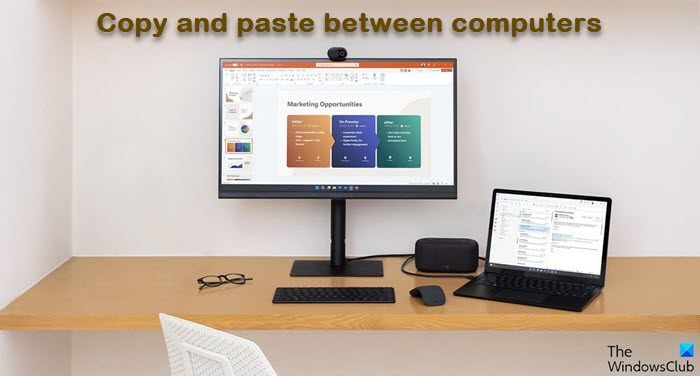
You can use the built-in Cloud Clipboard feature in Windows 11/10 or make use of a third-party freeware. These tools will copy your clipboard text data from one computer to another, easily.
1] Use the Cloud Clipboard History feature
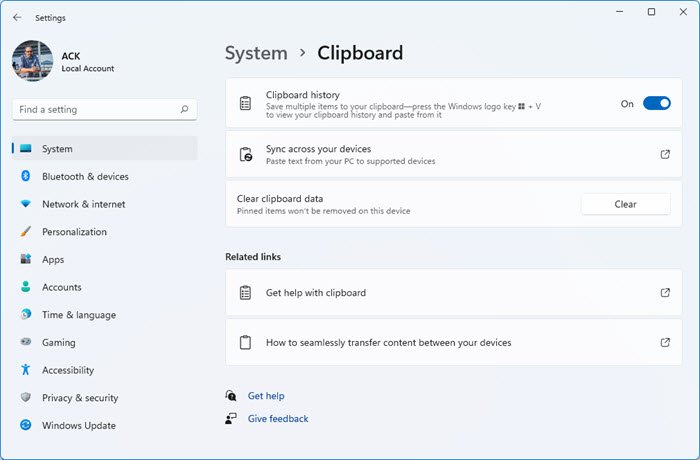
The Windows Cloud Clipboard keeps a copy of the text you copy, images, and keep a copy of multiple items and can retain all of them even after a restart. If you opt to also Sync these copied files/data across devices including Windows 10 and connected Android Devices, then it makes use of the cloud.
You will have to enable this feature via Windows 10 Settings > System settings. After this, turn on the toggle for Sync across devices. Next, when you access it on any other device, you will see the same Clipboard data on any other device.
2] Use CopyCat
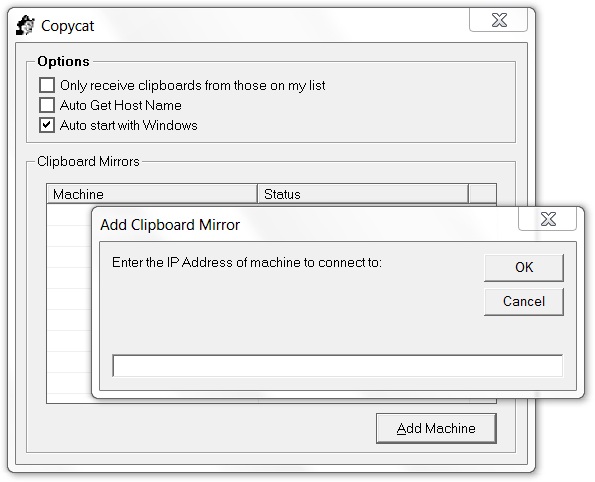
To start, you have to first add the IP address of Computer-1 to the Copycat list of Computer-2, and add the IP address of Computer-2 to the Copycat list of Computer-1. All the clipboard data will be copied from one computer to the other.
Do note that the clipboard will only get copied to another machine only if it has a check next to that machine’s name or IP address.
Now when you copy text to your clipboard, Copycat will automatically transfer it to the clipboards of the machines that you have chosen.
You can download CopyCat from its homepage. UPDATE: The development of this tool has been halted.
You can also use the following websites to copy clipboard/data/text from one computer to another: MoveMyText.com | HeyPasteIt.com | FriendPaste.com.
There are also many other free Clipboard alternatives that can help you copy & paste Clipboard text from one computer to another.

