If you need to test and benchmark your Hard Disk Drives, Solid State Drives, USB Drives, as well as check their read & write speeds and monitor their health status and temperatures, then these two free portable tools for Windows OS – CrystalDiskMark & CrystalDiskInfo – will be of great use to you.
Benchmark & Monitor Hard Disk & USB Drives
CrystalDiskMark Tool
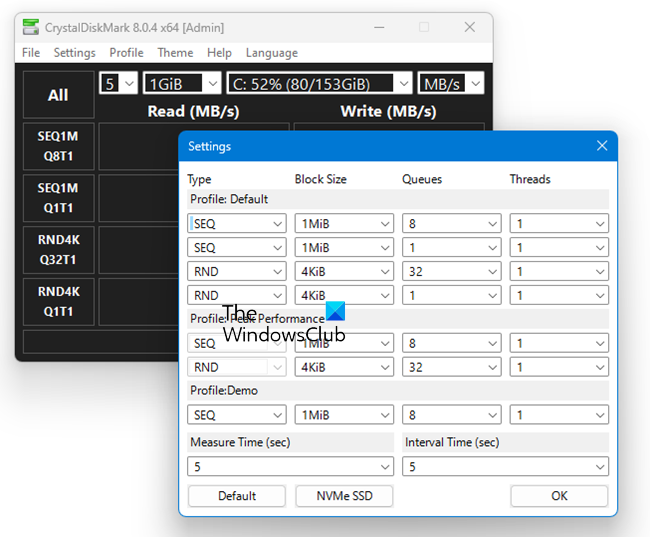
CrystalDiskMark is a free utility software for measuring the performance of hard drives and solid-state drives. It can be downloaded at no cost from various reputable software distribution sites, including the official website.
It is a valuable tool for monitoring the health and performance of your hard drives and SSDs. It utilizes S.M.A.R.T. technology to provide real-time insights into the status of your drives, helping to prevent data loss through early detection of potential drive failures.
With the help of CrystalDiskMark utility, you can benchmark and test your hard disk & USB drives read & write speeds.
CrystalDiskInfo Tool
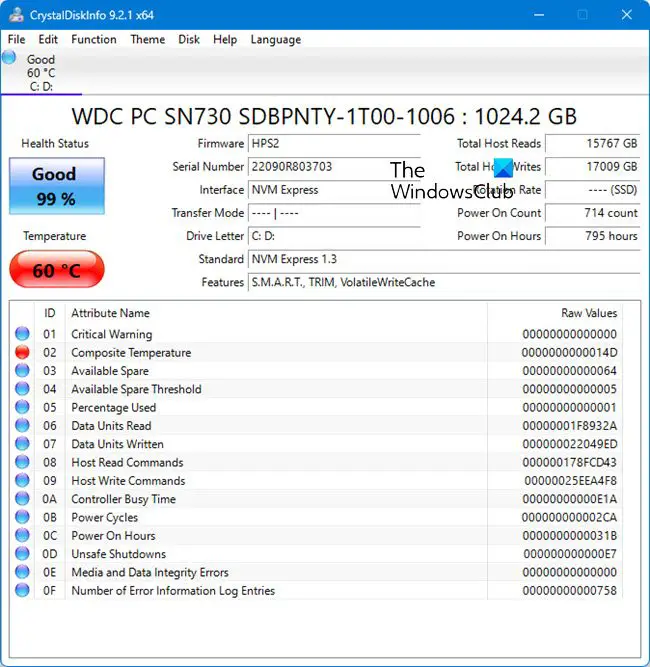
CrystalDiskInfo is a free software tool used for monitoring the health and performance of hard drives and SSDs. It reads S.M.A.R.T. data to provide insights on drive reliability and to predict potential failures, ensuring data integrity and system stability. It supports NVMe, SATA, and PATA connections, catering to various storage devices.
CrystalDiskInfo is an HDD/SSD utility software that supports part of USB, S.M.A.R.T., Intel RAID, and NVMe. It supports some external USB disks and helps monitor health status and temperatures. It throws up a lot of information about your drives.
It is widely considered a safe and reliable tool for monitoring hard disk health. It’s a trusted program among users for its ability to provide detailed information about drives. Ensure you download it from the official website or reputable sources to avoid any security issues.
To uninstall it, navigate to ‘Apps and Features’ or ‘Programs and Features’ in your system settings. Scroll to find CrystalDiskInfo, select it, and click ‘Uninstall’ to begin the removal process. Follow the prompts to complete the uninstallation.
This post will show you how to test Hard Drive speed on a Windows computer.
Also, see HD Tune and PC Stress Test free software for Windows.