Windows 10/8/7/Vista does not have the Briefcase feature by default. The Briefcase was a utility to let users sync files between two computers. But it is not much used since Vista.
To create a new Briefcase one used to right-click on a blank area on the desktop or in a folder > New > Briefcase. Now that is not possible in Windows 10

Enable Briefcase in Windows 10
If you wish to add activate Briefcase again, double-click on the exported registry file and add the entries to your registry. Else you can copy-paste this in your Notepad, save it as a .reg file and then add them to your registry. But remember, create a system restore point first.
Windows Registry Editor Version 5.00

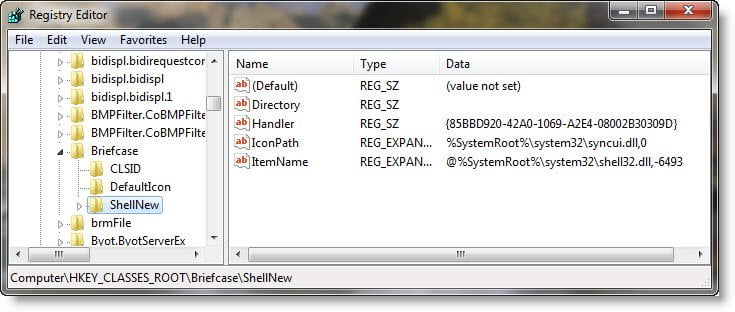
[HKEY_CLASSES_ROOT\Briefcase\ShellNew] "IconPath"=hex(2):25,00,53,00,79,00,73,00,74,00,65,00,6d,00,52,00,6f,00,6f,00,\   74,00,25,00,5c,00,73,00,79,00,73,00,74,00,65,00,6d,00,33,00,32,00,5c,00,73,\   00,79,00,6e,00,63,00,75,00,69,00,2e,00,64,00,6c,00,6c,00,2c,00,30,00,00,00 "ItemName"=hex(2):40,00,25,00,53,00,79,00,73,00,74,00,65,00,6d,00,52,00,6f,00,\   6f,00,74,00,25,00,5c,00,73,00,79,00,73,00,74,00,65,00,6d,00,33,00,32,00,5c,\   00,73,00,68,00,65,00,6c,00,6c,00,33,00,32,00,2e,00,64,00,6c,00,6c,00,2c,00,\   2d,00,36,00,34,00,39,00,33,00,00,00 "Directory"="" "Handler"="{85BBD920-42A0-1069-A2E4-08002B30309D}"

[HKEY_CLASSES_ROOT\Briefcase\ShellNew\Config] "IsFolder"="" "NoExtension"=""
I have also uploaded the registry file. You can download this registry file and click on it to enable Briefcase again.
This registry file works on Windows 10/8/7/Vista – and you can thus enable the Briefcase.
Remove Briefcase
If you wish to remove Briefcase from the list of New items, open regedit and navigate to the following registry key:
HKEY_CLASSES_ROOT\Briefcase
First right-click on Shellnew and select Export to backup and save the registry entries. If you need to enable back Briefcase, you can use this file to add the registry entries.
Having done that, delete the ShellNew sub-key away with all its values.
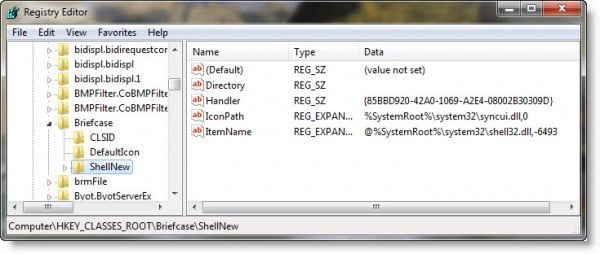
This will make Briefcase disappear from “New” item list.
Hope this helps.