
You might have often observed that some PDF documents come with password security and other added restrictions that do not allow you to open, copy, or print their contents. This causes great inconvenience, especially when you want to access information from the document or print it out for offline use. This post shows how to remove PDF password and unlock PDF files using free PDF Unlocker software or online tools.
How to Remove Password from PDF
Portable Document Format (PDF) is the only widely used document format for all Office and Professional Communication activities. While often, we might want to copy certain text or images or a complete page from the PDF file and paste or use it somewhere else, maybe in our Word Document, Notepad, or to print it, restrictions placed on the PDF document mat prevent us from doing so. The PDF document may be locked.
PDF document creators and owners lock their document content to avoid someone else copying it. This is one of the options available in PDF for security reasons to lock content for copy-protect. Or sometimes, some PDF documents prevent the user from copying, pasting, or printing their contents because the PDF might have used a font not available in the system trying to read it.
Remove PDF password & Unlock PDF files
But there is some good news – you can remove the password restrictions. But before you begin, you need to know one thing. There are two kinds of passwords. One requires you to enter a password even if you want to view the PDF (User Passwords), and the other must only enter if you want to edit the PDF (Owner Passwords).
PDF Cracker Online Tools

1] CrackMyPDF
If you are looking for an online application that can easily unlock and access these locked PDF files with one click, you may find CrackMyPDF very useful. It is a free online PDF unlocker that unlocks PDF files and removes the restriction for editing, copying, printing, and extracting with just a few clicks.
All a user needs to do is upload a document from his computer and click ‘Unlock’. The unlocked version of your document automatically gets opened in a new browser window. You can then save it to your computer. This free online application, you can remove the password and restrictions in just a few seconds.
Features:
- Unlocks PDF Files online
- It is free and requires no registration
- Removes PDF restrictions for copying, editing, printing, and extracting
- Requires no software installation. Everything is done online
- Supports all versions of Adobe Acrobat
- Unlocks PDF documents that come with copy/paste and print restrictions
It is important to mention here that though the PDF Restrictions Remover is capable to remove the restrictions in a standard password-protected PDF file, including 40-bit RC4 encryption, 128-bit RC4 decryption, and 128-bit AES decryption, it does not,
- Remove or find the user/open password automatically
- Remove other protections, such as DRM or third-party plug-in
- Enable Acrobat Reader to – Save forms and data locally, Add comments, and Add digital signatures.
2] PDF Crack
You can also use PDF Crack, another free online tool, to unlock PDF content in no time. You will have to upload the PDF document to their server, accept the terms and conditions, and a new browser tab will open, displaying the unlocked PDF file without printing or copying/pasting restrictions. With this tool, you will now be able to use all tools like copying, pasting, printing, and adding images and text to existing and new documents. Click here to visit the website. Scroll down toward the end of the page, and you will see the tool there.
Read: Remove PDF Restrictions using free software or online tools
PDF Unlocker free software
1] Free PDF Password Remover lets you unlock PDF documents and remove passwords and restrictions on printing, editing, copying, form filling, etc.
It can remove Owner passwords and known user passwords. Download it from here.
2] BeCyPDFMetaEdit is another free utility that can help you remove passwords from PDF files.
3] Free PDF Unlocker works by removing passwords that restrict access in two areas of the PDF. One is for passwords that restrict some functions, such as printing, copying, and pasting. The second is any password that might prevent you from accessing or opening a PDF file.
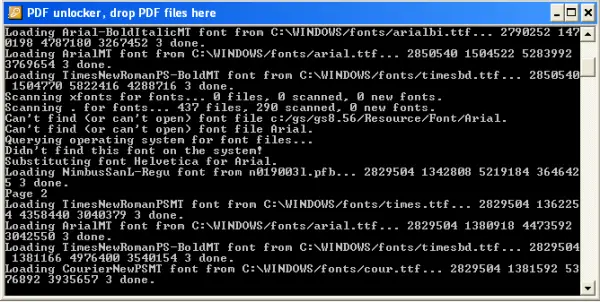
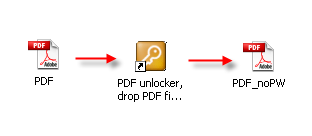
To remove the first type of restrictions, drag your PDF file onto a link on your desktop or onto the Free PDF Unlocker icon on your desktop.
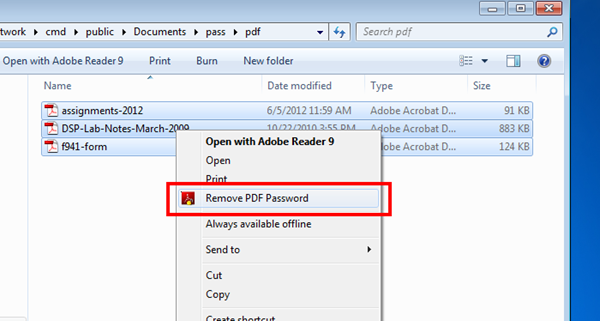
To unlock the second kind of restriction with Free PDF Unlocker, you have to right-click and select “Remove PDF Password” and close the application.
This is known to work most of the time, but there have been reports of this not working. This software was free earlier but has gone paid now after version 1.0.4.
Can you remove the password from the PDF without the password?
If you need to remove a password from a PDF, you’ll need to know the password first. There’s no practical way to open or remove a file without a password. This can be a problem if you’ve forgotten the password or if the PDF was created by someone else. You may need to try a few different methods to find the password or crack it in these cases. That is where online tools and software come into the picture. These applications try to brute force with different combinations of passwords, unlock the PDF, and then remove the password.
How to Remove Password from PDF with Adobe Reader?
Adobe Reader offers a built-in feature that can remove passwords from the PDF file. However, it depends on the type of password security attached to the document. You can access Tools > Protect > Encrypt > Remove Security to remove the password. According to Adobe, if the PDF has a Document Open password, it will be able to remove it easily. However, if the document has a permissions password, you will need to enter the password to remove it.

