
Downloading free image editing software and storing images in bulk for editing occupies disk space on your computer, and it’s fine if you use it often. That said, there are many online image editors present at your disposal that do the same task thereby, reducing the load on your computer. These online image editing software are free for use and promise good results.
Free Online Photo Editors and Image Editing Tools
We will talk about the following free online Photo Editors and Image Editing tools.
- Canva
- FotoFlexer
- Adobe Express Online Image Editor
1] Canva
Canva is one of the most popular and most powerful online image editing tools. It is also one of the favorite photo editor tools for graphics designers. Whether you are a beginner or a skilled graphics designer, you can use this tool for designing and editing your images online.
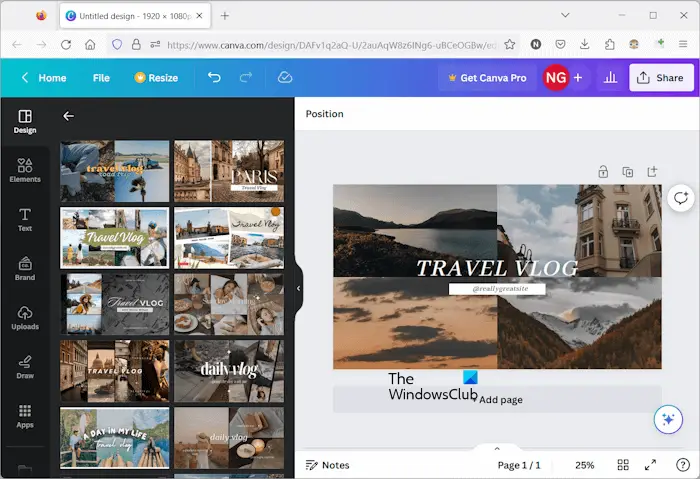
To use Canva, you have to sign up on its official website. You can use your Google account for this. It is available in both free and paid plans. Its free version also offers a lot of features that are good for both beginners as well as advanced users. But if you want to access all advanced tools, you have to purchase the premium version of Canva.
Many free templates are also available in the free version of Canva. When you access the Templates, you will see all the templates in different categories. You can also create Photo Collages, Desktop Wallpapers, Book Covers, etc., by using pre-defined templates.
You can download your images in PNG and JPG formats. In addition to this, Canva also offers some more options, like you can share your design link with others, sharing your design directly on Social Media, etc. Canva is really an amazing tool.
2] FotoFlexer
FotoFlexer is a free, easy, and powerful online photo editing tool. You can easily edit your photos or images by using this free tool. You need not sign up on their website to use it. Simply visit their official website and click on the OPEN EDITOR button.
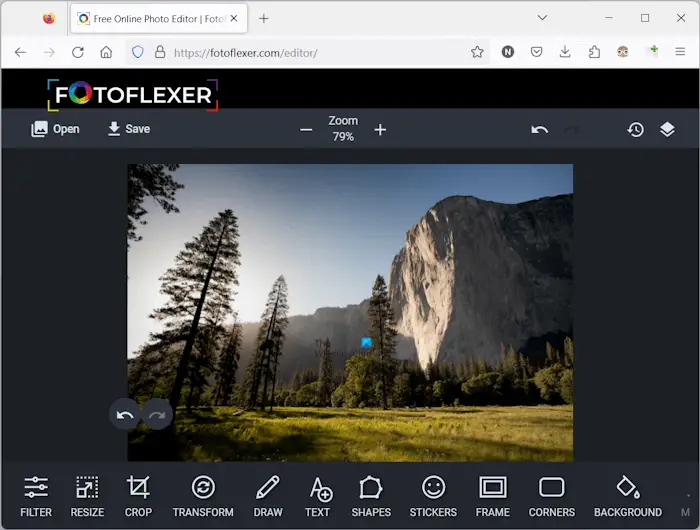
After opening the editor in your web browser, you will see the following two options on your screen:
- Open Photo
- Create New
Select the desired option. In addition to this, the editor also shows you three sample image files. If you want, you can also open the sample image files and edit them. It is a good feature for beginners to hands-on image editing skills on this tool. If you are creating an image from scratch, you can enter any size of your canvas. The default canvas size is 800 x 600.
After opening the first image, you can open other images in different layers as background images and overlay images. Click on the Open button on the top left side and the required option.
To edit an image, it has different tools at the bottom. You can resize your image, transform it, crop it, apply different filters, and do more with your images. It also has tools to add text, shapes, frames, and stickers to your image. In addition to this, a Draw tool is also present that lets you do free hand drawing on your image. If you have added multiple images in different layers, you can merge them all into one single image.
After editing your image, you can download it in PNG and JPG image formats. To use FotoFlexer, visit their official website, fotoflexer.com.
3] Adobe Express Online Image Editor
Adobe Express is an online image editor tool from Adobe. This tool is available in both free and paid versions. The free version has limited features but is good for beginners. The paid version of this online software offers more advanced tools. But if you are doing basic image editing the free version is also good for you.
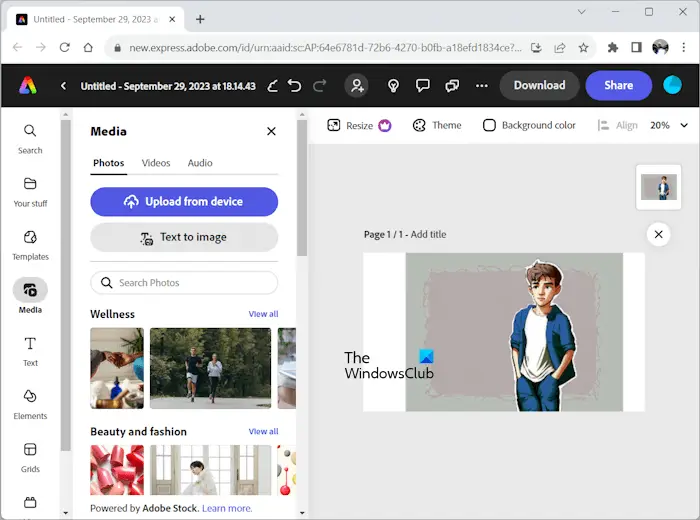
To use this tool, you have to sign up on the official website, It works in Edge and Chrome. Firefox is currently not supported. But in the future, they will add support for Firefox too.
Today is the age of Generative AI technology. That’s why, Adobe has also added the Generative AI feature to this tool. You can also generate images from the text by entering the required prompts. I have also generated an image by entering the prompt (you can see in the above screenshot).
All the tools required to edit images are available on the left pane of the software. You can access free templates, videos, etc., and add them to your image.
After editing your images, you can download them in PNG and JPG image formats. In addition to this, PDF file format is also available to download your images. To use Adobe Express’s Online Image Editor, visit adobe.com/express.
You might want to take a look at Fotojet Online Photo Editor too.
Let us know your thoughts in the comment section below.

