
If your Windows Search Service does not start and even if you try to start it manually, you are unable to, then follow this solution. This solution is to be followed if you get the following error message:
The Windows Search service on local computer started and then stopped. Some services stop automatically if they are not in use by other services or programs
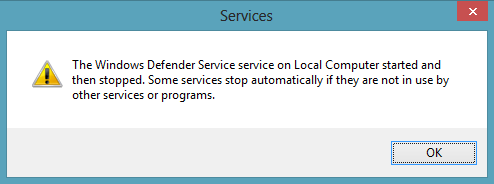
The Windows Search Service on Local Computer started and then stopped
This happens if there are missing subkeys or registry entries under the following registry location:
HKEY_LOCAL_MACHINE\SOFTWARE\Microsoft\Windows Search\CrawlScopeManager\Windows\SystemIndex
Or if there are corrupted log files at the following location:
C:\Windows\System32\Config\TxR
To resolve this issue, KB2484025 recommends that you delete all files with .BLF and .REGTRANS-MS extension in the following directory:
C:\Windows\System32\Config\TxR
Since the files in the folder location above are hidden and will thus not be visible unless you set the system to not Hide Protected Operating System Files under Tools – Folder Options.
Once these files are deleted, reboot the machine. On reboot, you may observe a high CPU indicating that the Windows Search service has already started and is in process of rebuilding the Index.
If you receive an error message:
- Search Failed to Initialize, Waiting to receive indexing status or
- Microsoft Windows Search Indexer Stopped Working And Was Closed or
- Windows could not start the Windows Search on Local Computer
then you may want to see this post on Windows Search not working.
How to repair broken Windows Search using the Windows Search Troubleshooter may also interest you.

