
If you have tried to activate your copy of Windows 11/10 over the Internet, and failed, with perhaps any of the following error codes, like with error code 0x80004005 or 0x8004FE33, you may want to follow this tutorial and see if any of it helps you troubleshoot the issue.
Windows Activation fails with Error 0x80004005 or 0x8004FE33
If you have tried to enter your license key and activate it over the Internet, during installation or later by bringing up SLUI.EXE 3 and failed, you have another option, and that is to activate Windows 10 using the telephone.
1] Activate Windows by Phone
To do so, type SLUI.EXE 4 in the search bar and hit Enter to open the following dialog box.
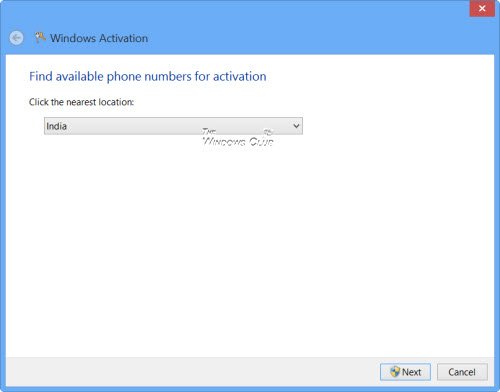
Select your country from the drop-down menu and click on Next. You will be able to see some toll-free phone numbers which you can call. Call one of those numbers (Step 1).
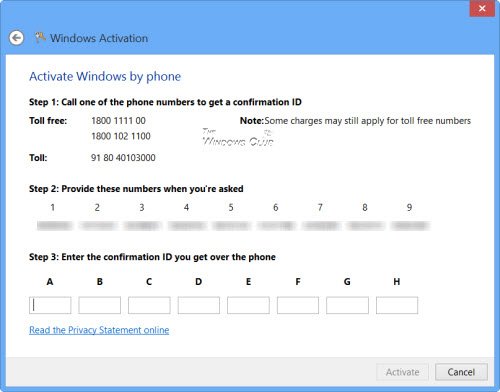
When the operator comes online, you will be required to give the mentioned numbers (Step 2 in the image) to the other person, who will, in turn, give you a Confirmation ID, which you will need to enter (Step 3).
Once done, click on Activate.
Once activated, you may wish to view the Licensing Status and Activation ID of your Windows OS with slmgr.vbs.
As mentioned, you can follow this procedure for activation of any version or edition of Windows.
2] Configure Proxy Server
Advanced users may want to configure the proxy server to disable basic Authentication or exclude the URLs, suggested by Microsoft, for the certificate revocation lists (CRLs) from the requirement for Basic authentication:
- http://go.microsoft.com/
- https://sls.microsoft.com/
- https://sls.microsoft.com:443
- http://crl.microsoft.com/pki/crl/products/MicrosoftRootAuthority.crl
- http://crl.microsoft.com/pki/crl/products/MicrosoftProductSecureCommunications.crl
- http://www.microsoft.com/pki/crl/products/MicrosoftProductSecureCommunications.crl
- http://crl.microsoft.com/pki/crl/products/MicrosoftProductSecureServer.crl
- http://www.microsoft.com/pki/crl/products/MicrosoftProductSecureServer.crl
- https://activation.sls.microsoft.com
These posts about Windows Activation problems may also interest you:
- Troubleshoot Windows Activation Errors: List or error codes and fixes
- Cannot activate Windows. Product Key blocked
- Troubleshoot Volume Activation error codes and error messages on Windows
- Error code 0x8007000D when trying to activate Windows
- Troubleshooting Windows Activation States
- The product key you typed cannot be used to activate Windows on this computer
- Windows Activation Troubleshooter.

