
If your Bluetooth devices do not work correctly on a computer that is running Windows 11/10, then you might want to update device drivers, check the status of the related two services and apply this hotfix from Microsoft and see if something helps you.

Bluetooth not working in Windows 11/10
If Bluetooth is not working in Windows 11/10, try the following suggestions:
- Run the Bluetooth Troubleshooter
- Update your Bluetooth drivers
- Check Bluetooth Services status
- Does Bluetooth mouse disconnect randomly?
- Uninstall problematic software
Let us see them in detail.
1] Run the Bluetooth Troubleshooter
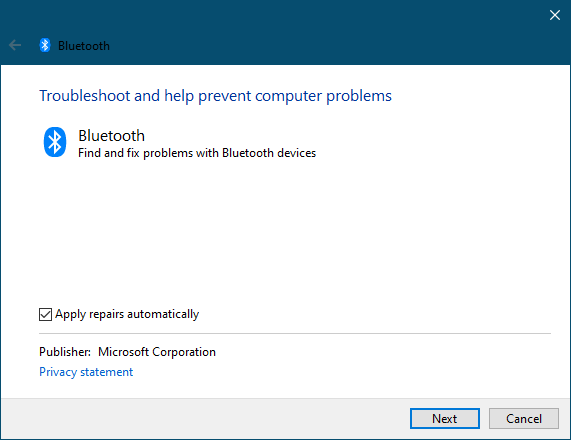
From the Start Search, open Control Panel > Reoubleshooting > View all. Now run the Bluetooth Troubleshooter and see if that helps you.
See this post if the troubleshooter returns an error Check Bluetooth radio status – Not fixed.
Read: Bluetooth option disappeared in Windows 11
2] Update your Bluetooth drivers
Updating Bluetooth drivers, in most cases, helps resolve the issue.
3] Check Bluetooth Services status
For Bluetooth to work, the following services have to be running properly, so check if they are set to their default Windows configurations as mentioned below:
- Bluetooth Support Services – Manual Trigger Start
- Bluetooth Audio Gateway Service – Manual Trigger Start
- Bluetooth Driver Management Service – Automatic
- Bluetooth Handsfree Service – Manual Trigger Start
- Bluetooth – Automatic
- Bluetooth Device Monitor – Manual Trigger Start
- Bluetooth OBEX Service – Manual Trigger Start
To do so, Run services.msc. To open the Services Manager. Check if they are set to Automatic (delayed) and if the Service is started and running. If not click on the Start Service button to start the service. See if this helps.
Do note that you may see all these mentioned services, so check the settings for only those that you see in your Service Manager.
Read: How to Send or Receive files using Bluetooth File Transfer.
4] Does Bluetooth mouse disconnect randomly?
See this post if your Bluetooth Mouse disconnects randomly.
Related: Bluetooth mouse is connected but does not work.
5] Uninstall problematic software
This issue may also occur because of a problem in the PnPlayer. If you have a computer that is running Windows 7 or Windows Server 2008 R2 and after installing a Bluetooth adapter on the computer, you find that:
- The Bluetooth Support Service cannot start after you restart the computer. Additionally, Bluetooth devices do not work correctly.
- When you search for Bluetooth devices in Control Panel, the search operation may not finish. Additionally, you may notice that the progress bar seems never to finish and the pointer remains at an hourglass
How do I fix Bluetooth missing in Windows 11?
If Bluetooth is missing on our Windows 11 computer, first try this. Turn off your computer, unplug the cable from the power socket, wait for 10 minutes, and then turn on your computer, This should work. If it does not work, you should perform a System Restore. If nothing helps, perform an In-place Upgrade.
Fix: Try connecting your device again Bluetooth Error in Windows 11
How do I install Bluetooth drivers on Windows 11?
You can install Bluetooth drivers or any other drivers from the manufacturer’s website. Visit your computer manufacturer’s official website and enter your PC’s model number. Alternatively, you can use the auto-detect feature on the website (if available). After that, you will see all the drivers available for your computer. Now, you can download and install your Bluetooth driver.
Let us know if any of these tips helped you or if you have other suggestions to make.
Have a look at these posts too:
- Bluetooth devices not showing or connecting
- Bluetooth is missing or not showing in Device Manager
- Bluetooth not working after waking from Sleep
- Bluetooth Mouse disconnects randomly in Windows.
- Bluetooth speaker paired, but no sound or music
- Cannot send or receive file via Bluetooth
- That didn’t work, Make sure your Bluetooth device is still discoverable, then try again.

