Automated Troubleshooting Solutions by Microsoft has become very popular over time. These Automated Troubleshooting Solutions help resolve Windows issues in a click. If your computer is facing power consumption problems and you would like to extend your laptop battery, you may want to try out this tool.
Power Troubleshooter for Windows 11/10
This Power Troubleshooter will automatically troubleshoot Windows power plans and detects your system settings that can affect power usages, such as timeout and sleep settings, display settings, and screensavers, and restore them to their default settings.
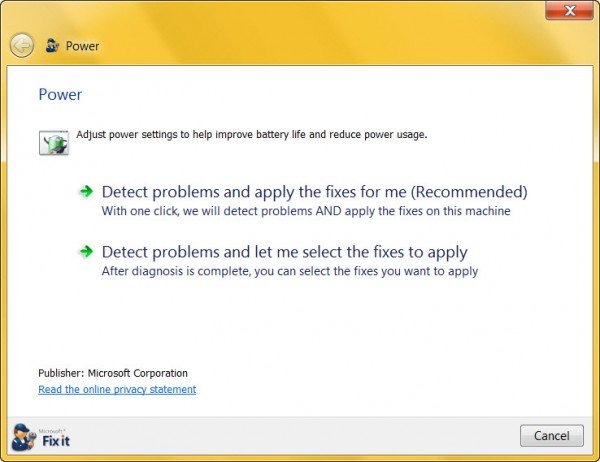
You have the option to let it scan and fix issues automatically, or you can choose and select which settings you want to be fixed. Once you select an option, the Power Troubleshooter will start the scan and present you with its findings.
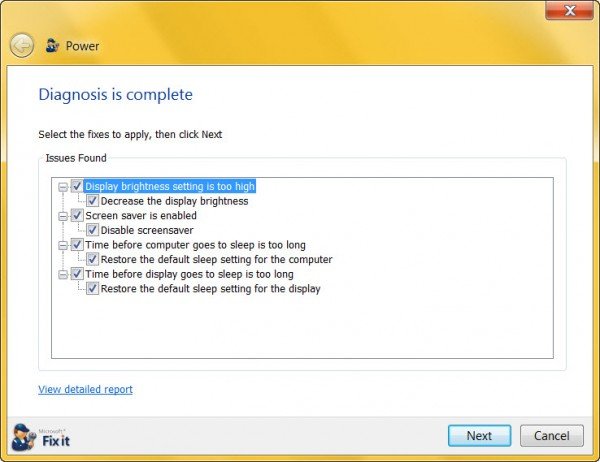
Once you click Next, it will fix the issues and present you with a report.

This Power Troubleshooter fixes the following:
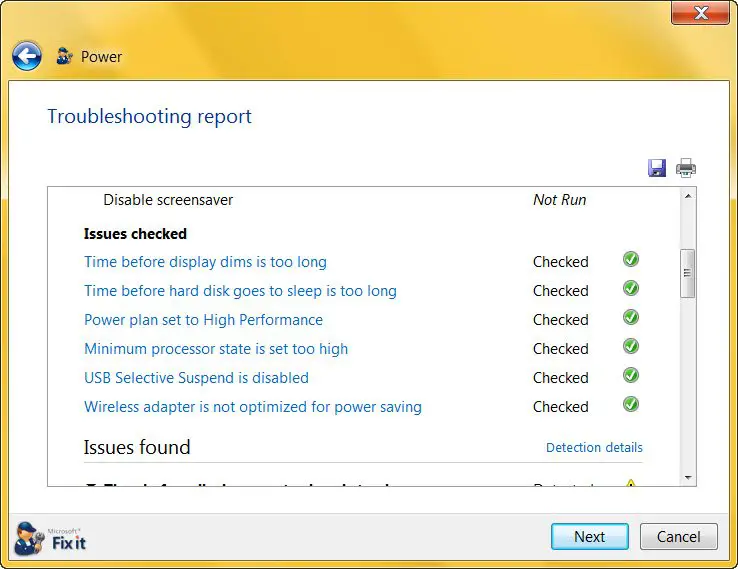
- Wireless adaptor is not optimized for power saving
- Screen saver is used instead of setting the computer to enter sleep mode
- Period of time before the computer goes to sleep is set too long
- Minimum processor state is set too high
- Display brightness is set too high
- Power plan is not set to the most efficient power plan.
You can download it from Microsoft.
Windows 10/8.1 has this tool built-in. In Windows 10, open Settings > Update & Security > Troubleshoot > Power.
Power Troubleshooter for Windows 11
To use Power Troubleshooter in Windows 11, follow these steps:
- Press Win+I to open the Windows Settings panel.
- Make sure that you are in the System tab.
- Click on the Troubleshoot menu on the right side.
- Click on the Other troubleshooters option.
- Find the Power troubleshooter and click the Run button.
- Follow the screen’s instructions.
It is not that difficult to run the Power Troubleshooter in Windows 11 as well as Windows 10. However, the locations to find this troubleshooter are different on Windows 11 and Windows 10.
Read: Fix common Power problems and issues in Windows laptop
How do you fix there are no Power Options available?
If no Power Options is available on Windows 11/10 PC, you cannot shut down or hibernate your PC. Therefore, you need to run the Power troubleshooter on your computer first. It helps you fix common Power-related problems on your computer. Whether you cannot find one option or all the options, this troubleshooter could resolve the issue within moments.
How do I fix the power on Windows 11/10?
Depending upon the situation, you can try various things, including running the Power Troubleshooter. The process to run it on Windows 11/10 computer is mentioned in this article. Apart from that, you can troubleshoot in the Clean Boot state, check your settings in the Windows Settings panel, etc.
You can also Troubleshoot Power Plans in Windows with PowerCFG Tool.
TIP: Learn more here on Power consumption and usage patterns on the computer and the Power Plans FAQ.