
Aero is normally not available in Windows Vista Home Basic and Windows 7 Home Basic. Furthermore, there is an internal Hardware Check which only allows you to run Aero if passed.
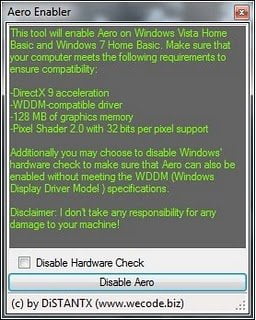
Enable Aero
While one may try the suggested manual ways, Aero Enabler can enable Aero for you and additionally disable the Hardware Check if required, in a click!
This tool changes some registry settings and there might be problems if your computer does not meet Aero’s system requirements, so best to create a system restore point first!
Its publisher has also released two other tools Protect Me! Beta 1 & Tweak Me! Beta 3 which you may want to check out.
Please note that I haven’t tried this tool.
