
Since Windows 3.1, Microsoft included the Windows Help program or WinHlp32.exe with new releases. WinHlp32.exe is used to view 32-bit Help files that have the .hlp file name extension.
Please note that Microsoft deprecated the old .hlp format over 10 years ago because of security risks. The company has always urged Windows users to be very careful when opening “.hlp” attachments. The warning follows the release of exploit code for a possible new zero-day bug in the Microsoft Help subsystem, which is used to display files with the .hlp extension.
Now .hlp files are very old Help files and Microsoft has not supported or updated them for years. Modern Help files are .chm files.
Open Windows Help .hlp files

Starting with the release of Windows Vista and Windows Server 2008, Microsoft has decided to no longer include WinHlp32.exe as a component of the Windows operating system. Microsoft made this decision because WinHlp32.exe has not had a major update for many years, and it felt that it did not meet their standards for all new Microsoft programs.
When you try to read such help files, with Windows Help (WinHlp32.exe) program, you may receive the following message:
The Help for this program was created in Windows Help format, which was used in previous versions of Windows, and it is not supported.
Or
The Help for this program was created in Windows Help format, which depends on a feature that isn’t included in this version of Windows. However, you can download a program that will allow you to view Help created in the Windows Help format.
Or
The Help for this program was created in Windows Help format, which depends on a feature that isn’t included in this version of Windows. For more information, go to the Microsoft Help and Support website.
Microsoft realizes that this may cause some problems for customers who still rely on 32-bit .hlp files. Therefore, Microsoft made WinHlp32.exe available as a stand-alone download.
Now Windows 11, Windows 10, Windows 8.1, Windows 8, Windows 7 and Windows Vista too do not include the Windows Help program as a feature of Windows.
If you want to view 32-bit .hlp files, you must download and install the program WinHlp32.exe from the Microsoft Download Center.
Using Help Program or WinHlp32.exe
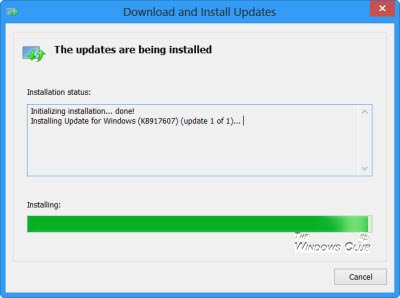
You can download and use WinHlp32.exe for Windows 8.1. It is not available for Windows 11/10 but you can use the one for Windows 8.1. You will be offered KB917607 for 32-bit or 64-but depending on your system configuration.
The process to use it is a bit complicated and I would recommend you use one of the following tools or browser extension to do it. Avoid downloading patched WinHlp32.exe programs from media sharing websites too.
Read: How to Get Help in Windows.
Convert HLP to CHM file
There are tools like HelpNDoc or HelpMaker that are free for personal use which help you convert HLP to CHM files.
There are websites online that will convert the hlp files to chm files for you. There is also a CHM, HLP Viewer and Extractor browser extension that you can use on Chrome and Edge.
See this post if you face problems when you download and open WinHlp32.exe update.

