
Whenever you connect a USB drive, external drive, or DVD to your computer, you have to open This PC or Computer folder, find the drive icon, and click on it. If you close the Explorer window and feel the need to re-open it, you have to follow the same procedure again. A convenient way to open removable drives would be to open them with a ready-to-use desktop shortcut.
Create shortcuts to USB Removable Media or Drive
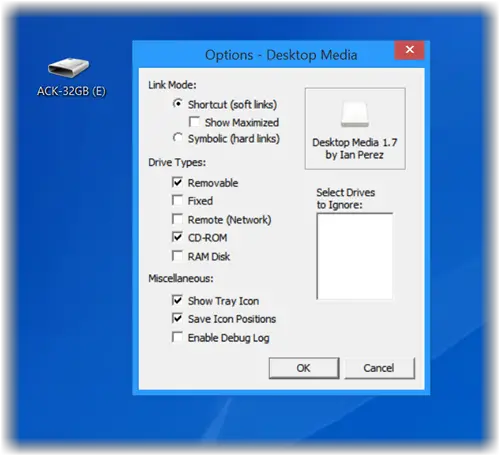
Desktop Media, Desk Drive, and DriveShortcut are three freeware that will automatically create desktop shortcuts to removable media, when you connect the USB, DVD, etc to your Windows computer, and remove the icon when you unplug the media.
1] Desktop Media
Desktop Media automatically adds and removes shortcuts to USB drives on Desktop.
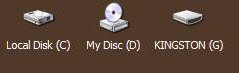
The freeware program automatically adds drive icons to your desktop. It detects USB drives, fixed drives (i.e., your hard drives), CD/DVD drives, network drives, and even RAM disk drives. Whenever you insert a USB drive, external drive, or a CD / DVD into the drive, it pops up a desktop icon shortcut to that drive. When you remove the drive, the icon disappears.
The developer of the application came up with this utility after he observed a .NET application called Desk Drive that served the same purpose, i.e., add a shortcut to a USB drive. Desktop Media is a similar version of Desk Drive, but distinct from it for the reason that, it possesses a smaller memory footprint and includes more features.
It allows users to select which drives’ shortcuts they want displayed on their computer screen. One can even select drives to ignore, so the software does not create a shortcut for the ignored drives on his Windows Desktop. Any settings to be changed can be easily accessed via the program’s system tray icon.
Desktop Media Features:
- Ability to ignore user-specified drive letters
- Option to save the position of the icons
- Ability to create soft links (shortcuts) or hard links (symbolic links)
- Ability to automatically detect new or existing media and add icons to your desktop
- Supports removable, fixed, network, CD/DVD and RAM disk drives.
Desktop Media is light in weight, weighing 1.6 MB only, and is available as a free download for Windows only. It is a good program that adds better functionality to your Windows Desktop.
Download Desktop Media from here.
It is a small application for Windows that automatically adds drive icons to your desktop. It detects USB drives, external hard drives, CD/DVD drives, network drives, and even RAM disk drives, and creates shortcuts. In the case of removable media, it will create the drive shortcut to your desktop, only if it is present. You can check out Desktop Media here.
2] Desk Drive
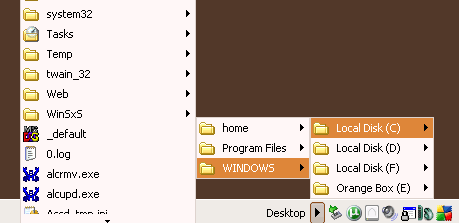
You can display desktop icons of removable media on insertion, with Desk Drive.
When we connect a removable media to your Windows laptop, it may open its contents in Explorer. But if you have set it to do nothing, then we have to open Explorer and then click on the drive. Wouldnt it be great if there was a desktop icon for it, so that we could access it as and when easily? Desk Drive solves this problem.
Add a desktop icon for the inserted removable media
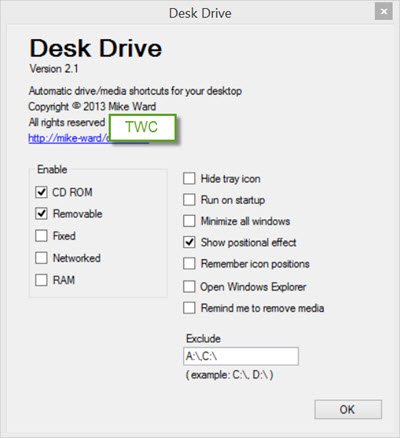
You pop a USB thumb drive or DVD into your computer, and then you have to open Windows Explorer and find the mapped drive or folder!
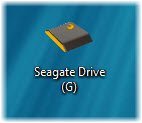
But after installing Desk Drive, it automatically adds a desktop icon pointing to the drive.
Once you have downloaded and installed it, run it. Desk Drive will sit quietly in the system tray.
Its configuration is just a click away and allows you to specify which types of media to monitor.
Insert the media, and the icon appears.
Remove the media and the shortcut goes away.
It is so simple to use! If you think you may have use for such a free tool, go get it from its home page. Take care, this one will try to install a 3rd-party offer, so make sure you opt-out of it.
3] DriveShortcut
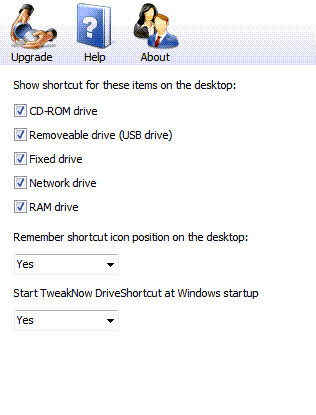
This tool will, again, sit in the tray area and automatically create or delete the removable drive or DVD icon from the desktop every time you plug an external hard disk into your computer. This icon will be automatically removed when the drive is unplugged – but on my Windows, the icon did not get deleted automatically, after I had removed the USB Drive. It is available here.
TIP: USB Disk Ejector lets you eject USB Disk with a keyboard shortcut.
Let us know which one of these you prefer to use.
