
You know it takes two clicks to create a single folder and then you have to rename it to what you want. But what if you want to create multiple folders at once? It sure will take a lot of time, right?
How to create multiple folders at once in Windows 11/10
In this post, we will show you how to create multiple new folders at one time in Windows 11 and Windows 10, all named & ready to use using Command Prompt, PowerShell, Folder Frenzy, Text 2 Folders.
1] Using Command Prompt
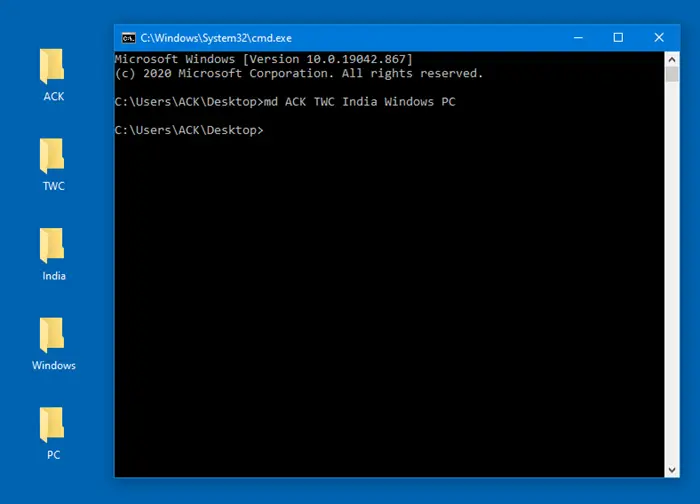
Open a command prompt in the folder, where you want the new multiple folders created, and then execute the following command:
md ACK TWC India Windows PC
Five folders will be created with the names mentioned.
This is an example and you can give any names with the md command.
Read: How to create a link to File or Folder in Windows
2] Using PowerShell
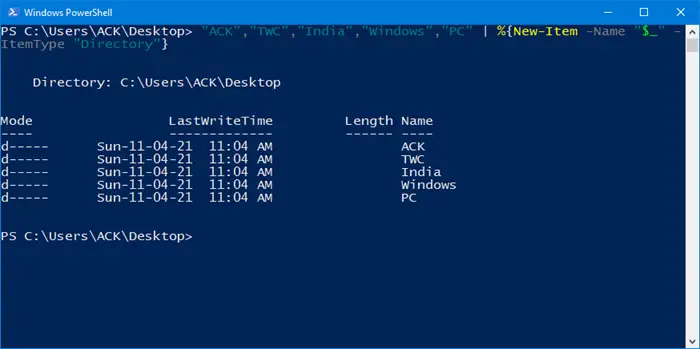
Hold down the Shift key and use the context menu to open a PowerShell prompt in the folder, where you want the new multiple folders created, and then execute the following command:
“ACK”,”TWC”,”India”,”Windows”,”PC” | %{New-Item -Name “$_” -ItemType “Directory”}
Five folders will be created with the names mentioned.
This is an example and you can create any number of folders.
TIP: You can also create multiple folders at once from Excel.
3] Using Folder Frenzy
Folder Frenzy is a small tool that helps you create new folders at one time with a single click.
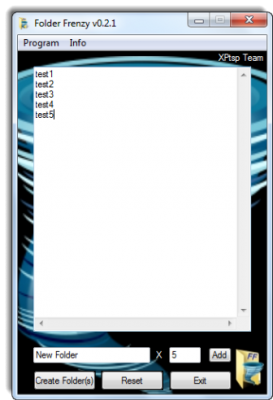
Folder Frenzy is a small download – just around 453 kb in size. All you need to do is download it and run on its executable file to open it.
Once you have opened the portable app, type the names of the folders you need to be created.
Each folder name should be entered on a new line.
There is also a built-in list creator which creates a specified number of folders (max 1000) with ‘your name’.
Having done this simply click Create Folders and the folders will be created.
The folders will be created in the folder the program runs from, but you can specify another location, say the Desktop, by typing the full path in the list box. Go get it from its download page.
Read: How to open Multiple Folders at once in Windows 11.
4] Using Text 2 Folders
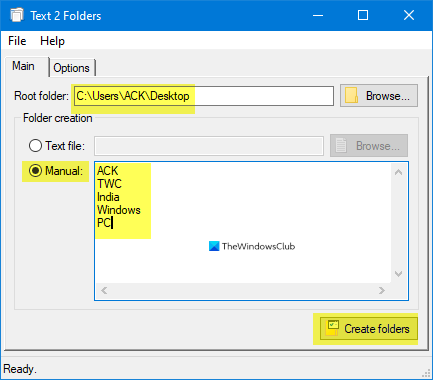
Download this portable tool, select the Root folder where you want to create the folders.
Select Manual, name the folders, and click on Create folders.
Hope this helps.
Related reads:

