
Tiny Hot Corners is a great tool for Windows 11/10 that lets you add an amazing feature to your computer. GNOME comes with great functionality of hot corners. Hot Corners are – whenever you move your mouse to the top left corner, GNOME switches to its activities view which is very similar to Task View in Windows 10. People switching to Windows from GNOME find it difficult because they have a habit of switching between applications by just simply moving the mouse pointer to the top-left corner of the screen.
Add Hot Corners to Windows PC
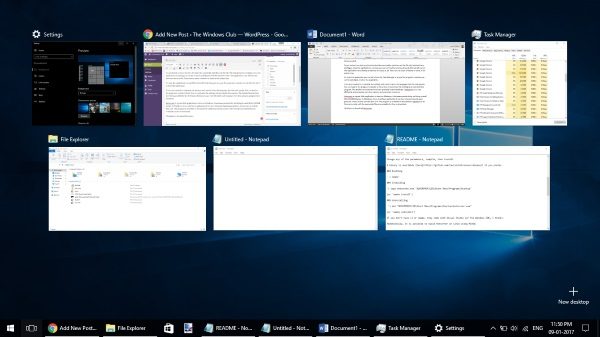
Even if you are not new to Windows, this is a great additional feature to have on your computer. Tiny Hot Corners is a freeware that runs in the background and ensures that the next time you move the mouse pointer towards the top left corner, Windows switches to the Task View.
If you are a developer and you know how to code in C language, then you can easily edit the code and compile the program again with the desired settings. You can adjust parameters, delays, and bindings easily and recompile. If you are not into coding, an executable file is also available separately that can be downloaded and then executed.
To get started, you just need to download the executable and then run the file with administrator privileges. Once the application is running, you can try it out by pointing toward the top left corner. The application runs silently and leaves no traces at all. There are no active windows or icons in the system tray.
To close the application you can kill it from the Task Manager or as per the program’s website you can hit Ctrl+Alt+C to close the application.
If you ever wanted to customize the settings and cared to learn the language that the code speaks. You can head to the program’s website to learn how to customize the settings and recompile the program. Detailed instructions have been provided by the developer. Tiny Hot Corners runs very efficiently and consumes less memory and processor resources.
Tiny Hot Corners is a great little application to have on Windows; it increases productivity and brings a small little GNOME feature to Windows. It is a must-have application if you love shortcuts based on gestures, mouse moves, and the likes of it. The program is available to download on GitHub and all the source code with the executable files are available for free to download.
Click here to download Tiny Hot Corners from Github.
Another similar program: WinXCorners lets you use Mac-style Hot Corners on Windows.
