
In Windows XP, one could create a toolbar and dock it to the top of the screen and move all one’s desktop icons to it, so that your desktop remained clean and yet you had easy access to all. In Windows Vista too one could do it but with some loss of functionality.
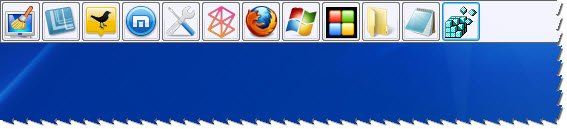
While you can create a Windows XP style toolbar in Windows natively, if you are one of those, who like me miss the use of this toolbar, and want to use a freeware instead, you can check out Coolbarz.
Coolbarz review
Coolbarz provides you with desktop toolbars for quick and easy access to your most commonly used programs. This feature used to be fully implemented within Windows allowing you to create and dock your own custom toolbars on the desktop but seems to have been recently removed in the latest versions of Windows.
You can pin program shortcuts, folders, internet shortcuts, in-built tools like Notepad, Registry Editors, etc to it, and set it to auto-hide.
Features:
- Provides up to 4 toolbars for adding shortcuts to any side of the screen.
- Conveniently customizable to suit your functional and visual needs, including fading effects.
- Standalone tool with no installation required.
- Easy to use and friendly interface with update notifications.
Coolbarz download
You can get Coolbarz from its download page. Works on Windows 10 too.

