
Often Microsoft Excel is used to deal with large data which may be quite similar to other Excel documents. Maintaining & synchronizing different versions of Excel documents can be troublesome and time-consuming. Thus, to analyze the data better, and synchronize and maintain the consistency requirement occurs to compare the Worksheets.

Compare Excel Sheets with Excel Compare Tool
xc Excel Compare Tools is an add-in for Excel which allows the comparison of values and formulas between two excel spreadsheets to deal better with data.
This add-in comes in an Excel file format. Opening the add-on will insert a new tab add-in in the Ribbon bar of the Excel.

To compare two excel sheets click compare button in the Add-Ins tab. This will open a new dialog window appears, where the first spreadsheet and the second spreadsheet to be compared can be selected. Here, select if you want to compare the value or compare the formula and then click Compare Sheet button.
Moreover, the Result set can be highlighted in any one of the given colors.
To use this Add-in in Excel, you will need to enable Macros, as Office now disables all macros by default for security purposes.
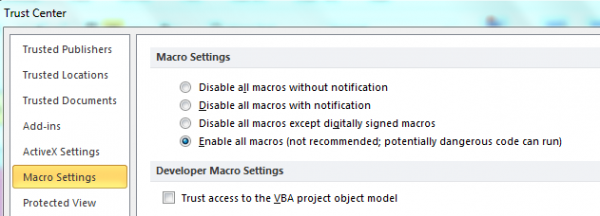
Download: xc Excel Compare Tools from the Google Code website.
How to Compare Excel Sheets
- You can also compare Excel worksheets as follows:
- Open Spreadsheet Compare
- On the Start screen, click Spreadsheet Compare
- If you do not see a Spreadsheet Compare option, begin typing the words Spreadsheet Compare, and then select its option.
- You can choose the options you want to see in the results of the workbook comparison by checking or unchecking the options, such as Formulas, Macros, or Cell Format. Or, just Select All.
- Click OK to run the comparison.
Using Excel Compare Online Tools
Use these free online document comparison tools. These online services enable you to check for changes made between two versions of a document. You can import different copies of your documents saved in Word, Txt, PDF, HTML, and other formats to these websites, and then check what and where they have differences if any.
This post will show you how to Solve Equations in Excel.

