
One has to be very careful and alert these days while browsing the Internet. There will be websites that will try to engage you in a Phishing scam or even forcefully attempt to install malware on your computer. And there will also be those genuine webmasters whose websites may have been hacked or compromised but who are yet not aware of this fact.
Check for and report malicious websites
The Internet Explorer’s SmartScreen Filter will help detect phishing websites and also protect you from installing malware. It checks the websites you visit against an up-to-the-hour, dynamic list of reported bad sites and warns you if it finds something suspicious.
If using Internet Explorer browser, you have landed on a web page and wish to check if the URL is suspicious, you can do so as follows:
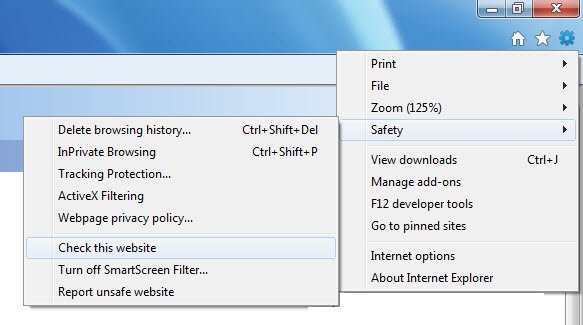
Click on Setting > Safety > Check this website. The website address will then be sent to Microsoft servers to be checked against a list of unsafe websites.
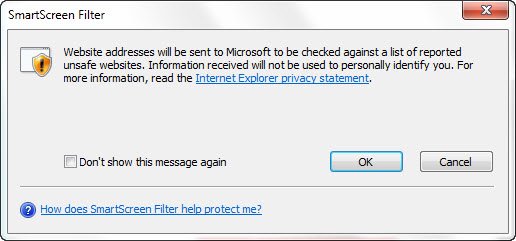
If you wish to report a website, that has not yet been flagged off as being dangerous, click on Settings > Safety > Report unsafe website.
You will be directed to this webpage – https://feedback.smartscreen.microsoft.com/feedback.aspx, where you can report the Phishing and malicious website.
You may also want to have a look at this list of URL scanner addons for your browser and this list of Online URL Scanners to scan websites for malware, virus, phishing, etc.
Read next: Where to report Online Scams, Spam and Phishing websites.

