
Most of the Network Administrators might be aware of the Microsoft Network Monitor tool. Now Microsoft has released a successor of this tool called Microsoft Message Analyzer. For now, Microsoft has made this tool public and they have a Connect site too.
UPDATE:
Microsoft Message Analyzer (MMA) will be retired and its download packages removed from microsoft.com sites on November 25 2019. There is currently no Microsoft replacement for Microsoft Message Analyzer in development at this time. For similar functionality, please consider using a 3rd party network protocol analyzer tool.
Microsoft Message Analyzer
According to TechNet:
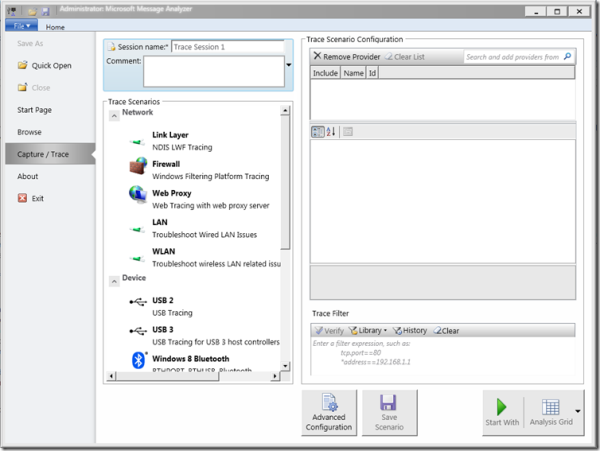
Microsoft Message Analyzer is a new tool for capturing, displaying, and analyzing protocol messaging traffic. It is the successor to NetMon 3.x and is a key component in the Protocol Engineering Framework (PEF) that was created by Microsoft for the improvement of protocol design, development, documentation, testing, and support. With Message Analyzer, you can capture live data or retrieve archived message collections from saved files such as traces and logs. Message Analyzer also enables you to display data in a default tree grid view and in selectable graphical views that employ grids, charts, and timeline visualizer components that provide high-level data summaries and other statistics.
According to the release blog the main feature of Microsoft Message Analyzer are :
- Integrated “live” event and message capture at various system levels and endpoints
- Parsing and validation of protocol messages and sequences
- Automatic parsing of event messages described by ETW manifests
- Summarized grid display – top level is “operations”, (requests matched with responses)
- User-controlled “on the fly” grouping by message attributes
- Ability to browse for logs of different types (.cap, .etl, .txt) and import them together
- Automatic re-assembly and ability to render payloads
- Ability to import text logs, parsing them into key element/value pairs
- Support for “Trace Scenarios” (one or more message providers, filters, and views)
I would say it’s a must-have tool for Network administrators since there is so much you can do.
There is a TechNet blog dedicated to Microsoft Message Analyzer.
