
If you are looking for some free Screen Capture software for your Windows PC, then this post is sure to interest you. The Snipping Tool in Windows 11/10 lets you take screenshots in Windows. But if you are looking for a feature-rich yet free screen capture software, then you may want to check out some of these – including our own freeware release – Windows Screen Capture Tool. You might find some of them to be worthy SnagIt alternatives.
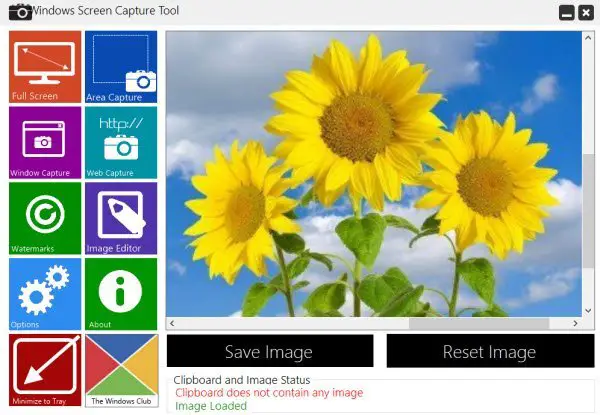
Free Screen Capture software for Windows 11/10
We will take a look at the following free screen capture software for Windows 11/10:
- Greenshot
- SnapCrab
- Free Screenshot Capture Tool
- Screenshot Captor
- Screenpresoo
- Live Capture
- FastStone Capture
- Snappy
- PicPick Tools
- Gadwin PrintScreen
- DuckLink Screen Capture
- And more!
1] Greenshot
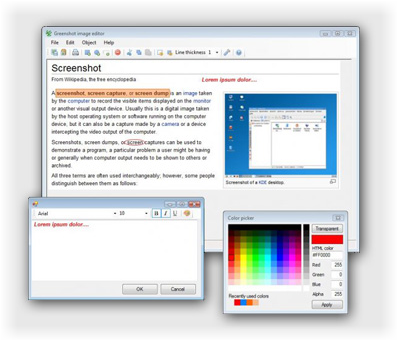
Greenshot is an open-source screen capture software for Windows operating system, optimized for productivity. Worth a check-out!
2] SnapCrab
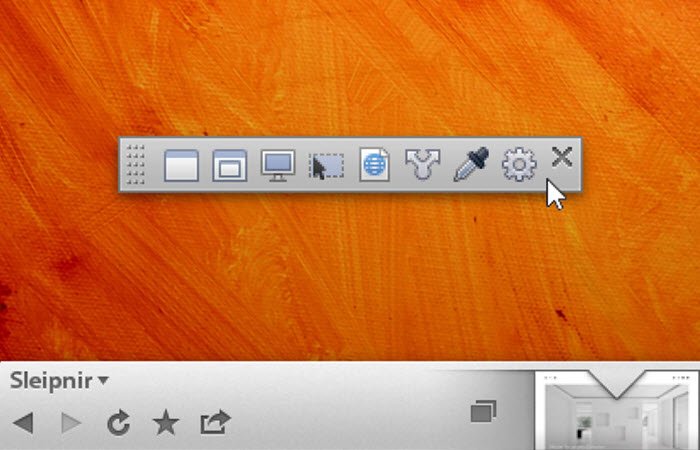
SnapCrab lets you can easily take out the screen captures of your PC by few clicks. And with the help of pre-built social features, you can also share your screen across your social networks, and you can make it visible to your friends or people in your network.
3] Free Screenshot Capture Tool
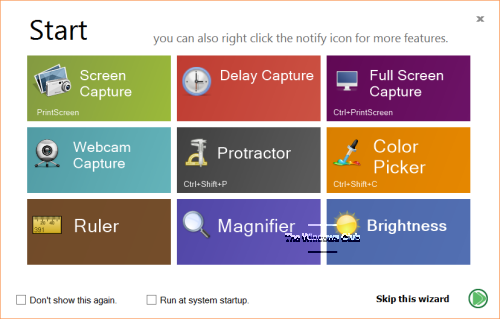
Free Screenshot Capture is a powerful, yet easy-to-use screen capture tool. It can help you capture screen, capture webcam images, pick colors on the screen, control brightness, and more. It also includes tools like screen protractor, screen ruler, screen magnifier, which will help you make capturing screenshots more accurate.
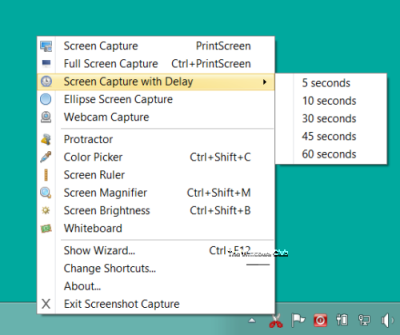
You can capture the full screen, window, part of the screen – all in quick, easy steps. It also allows elliptical screen captures and screen captures with delay. The UI looks pretty cool and includes a wizard to help you with the tool. You can access the tool and all its features by right-clicking on its icon sitting in the notification area. Download it here. <Link removed as it does not seem to be available now>
4] Screenshot Captor
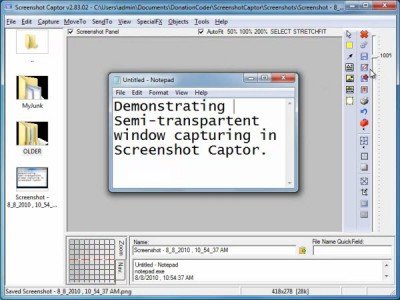
Screenshot Captor makes it easy to manage several screenshots at once and allows users to save an image of an active window, full screen or any rectangular area as a graphics file. It endorses some basic editing features like cropping, highlighting, and resizing. In a way, Screenshot Captor helps to grab screenshots with minimal intervention.
5] Screenpresoo
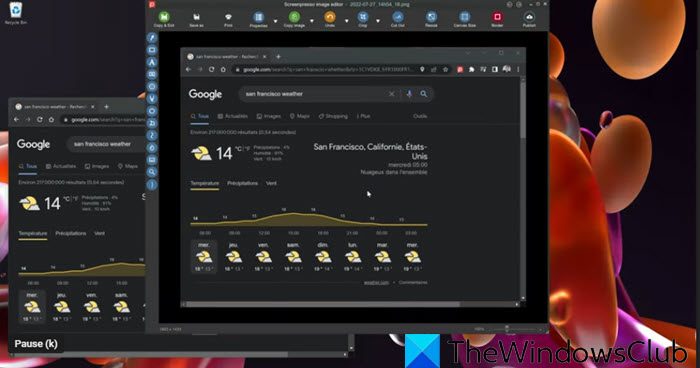
Screenpreso lets you capture, edit and save screenshots, scrolling windows, video, and, share it directly to social networking sites.
6] Live Capture
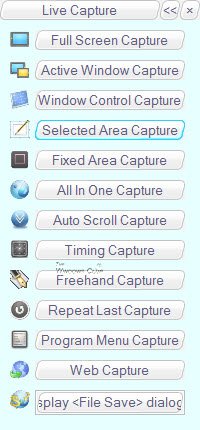
LiveCapture lets you capture Full-screen screenshots, Active window screenshots, Window control screenshots, Selected area screenshots, Fixed area screenshots. It also includes an All-in-one capture tool, Magnifier, Color Picker Color Palette, Editor, Ruler, and more!
7] FastStone Capture
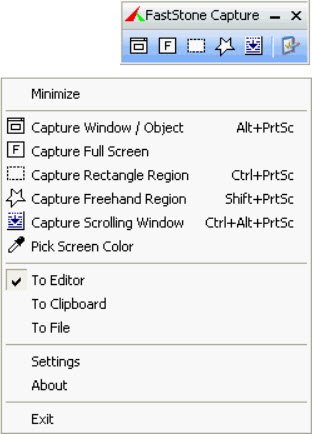
FastStone Capture is a popular powerful, flexible and intuitive screen-capture utility. It allows you to capture anything on the screen, including windows, objects, full screen, rectangle regions, freehand-selected regions, and scrolling windows/web pages. It is now shareware, but you can download it last freeware version from the link mentioned.
8] Snappy
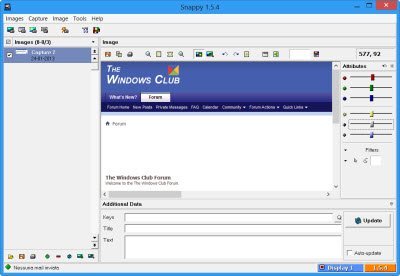
Snappy lets you capture screenshots as well as edit the image. If you are a power-user looking for a screenshot capture too + image editor, you may want to check it out. The UI and the icons may not impress you, however, as they look dated.
9] PicPick Tools
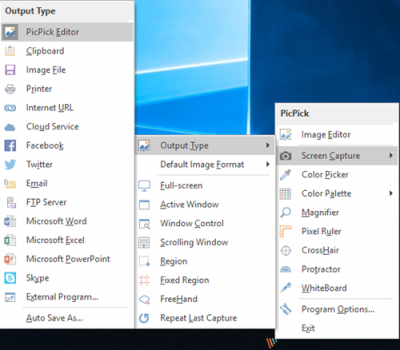
PicPick Tools features a powerful capture tool, image editor, color picker, color palette, pixel ruler, protractor, crosshair, whiteboard, etc.
10] Gadwin PrintScreen
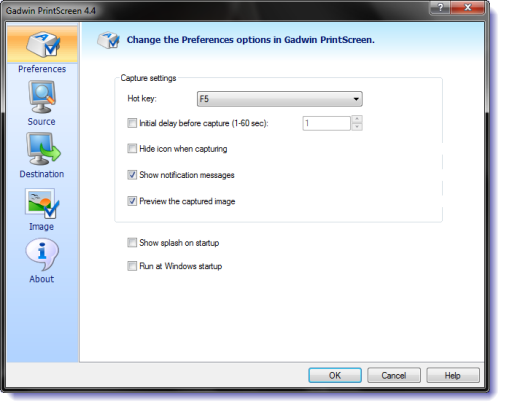
Gadwin PrintScreen can capture the entire Windows screen, the active window, or a specified area when the hotkey is pressed. The hotkey defaults to the PrintScreen key, but users may also define other keys to initiate a capture.
11] DuckLink Screen Capture
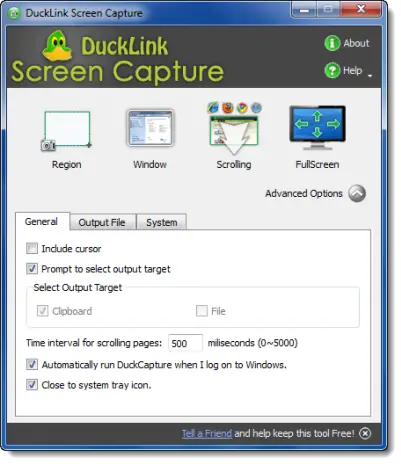
DuckLink Screen Capture is a feature-rich and easy to use freeware screen capture tool which comes with four capture modes that make screen capture easy! Capture the full screen, a window on your screen, a region of your screen, or the contents of a tall web page that scrolls.
There are more!
- 7capture gives you clean rounded images.
- FlameShot: This screenshot tool offers features like Incrementing count bubbles, Markers, Area Configurations, Size Counter, etc.
- Captura lets you capture screen, webcam, record audio, track mouse clicks and keystrokes
- Floomby lets you capture screen and uploads to share directly
- Sniptool Screen Capture is perfect for capturing screenshots your way
- LightShot allows you to also easily share images online
- WinSnap Free for Windows PC
- SnapIt utility is a screenshot taking utility for Windows, which operates with just two keys viz SHIFT and TILDA.
- goScreenCapture makes sharing easy.
- Snipaste lets you capture individual UI components.
- ChrisPC Screen Recorder is another option. It lets you capture a screenshot, record the screen, and edit videos.
- CloudShot lest you capture screenshots, make notes, and save to Dropbox.
- Screeny is a free screenshot software.
- ShareX screen captor makes sharing easy.
Let me know if I have missed your favorite freeware screenshot tool!
This post on Desktop Recorder and Screen Recording Freeware may also interest you.
