
In this post, we will learn how to change the Color calibration, ClearType Text, Display Adapter, Text sizing and other Display settings in Windows 11/10.
It is very important to have the correct screen color, text and resolution settings on your Windows PC as it facilitates a better display of content and the clarity of images. The higher the resolution, the sharper the images and contents on your PC. While Windows, however, has its own set of default scaling settings and colors for each display on your PC, which are usually the best for your system, you can always adjust it according to your own preferences.
How to change Color Calibration in Windows 11
You can calibrate your display. Windows provides a Display Color Calibration Wizard that helps you easily set your computer’s brightness, gamma, contrast & color settings. Using this wizard, you can improve the color on your display and ensure colors appear accurately in Windows 11/10/8/7.
Search for DCCW.exe or Color Calibration in the search bar of Settings and click on the Calibrate display color option.
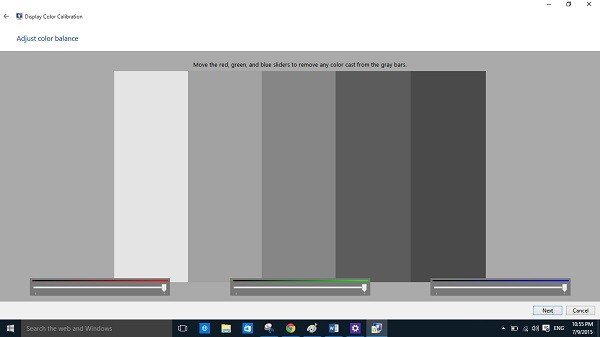
This will open the color calibration wizard where you just have to follow the instructions and adjust the settings.
The wizard will guide you to set the color, gamma, brightness, contrast, color balance and also make the text on your screen easier to read.
You will then reach a window shown below where you can adjust how the colors appear on your screen by moving the red, blue, and green sliders.
Read: How to split screen in Windows?
How to calibrate ClearType Text in Windows 11
Make the text on your PC clearer by checking this small box under the Clear Type Text section.
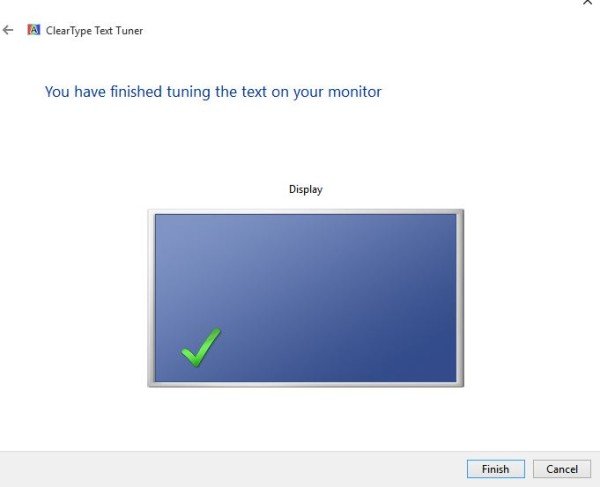
Search for ClearType text in the search bar of Settings and click in the Adjust ClearType text option.
This will open the Text Tuner where you have to follow the instructions and keep clicking on ‘Next’ button to tune the text on your monitor.
This post will help you if Windows Color Calibration keeps resetting.
How to change Screen Resolution on Windows 11
Windows 11
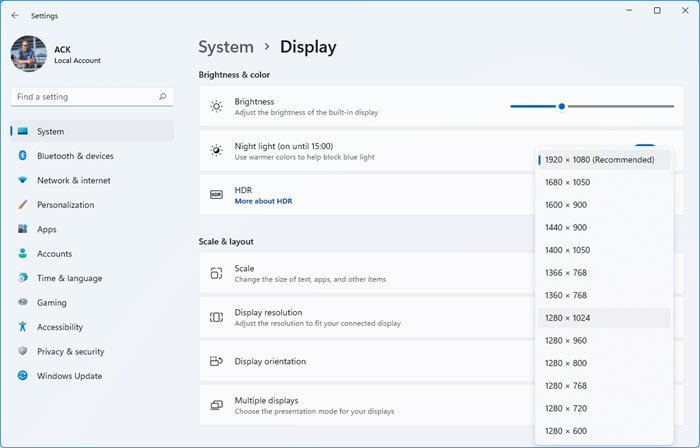
Changing the screen resolution in Windows 11 is easy, and you can get to the Screen Resolution settings via Display Settings:
- Open Settings
- Click on System settings
- Select Display from the right side
- Scroll down till you see Display resolution
- From the drop-down select the screen resolution you want.
Windows 10
Now for Windows 10, go to your Desktop, right-click your mouse and go to Display Settings.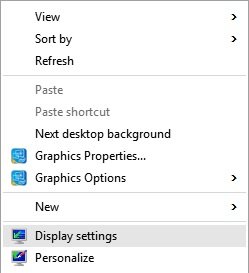
The following panel will open. Here you can adjust the size of text, apps, and other items and also change the orientation. To change the resolution settings, scroll down this window and select the drop-down menu for Display resolution.
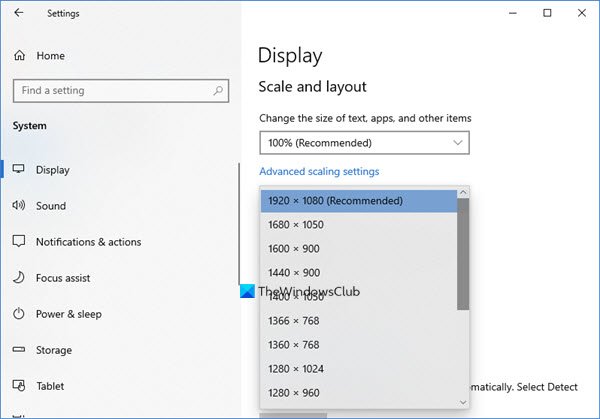
1920 X 1080 is the recommended screen resolution for my PC. It may be different for you.
However, you may want to modify if you want the items in your PC to appear larger. Please note that the lower is the resolution, the larger is the content displayed on your screen. From the available options in the drop-down menu, select the one you want and click Apply.
If it is not the optimal setting for your system, you will see an Optimal Resolution Notification like this.
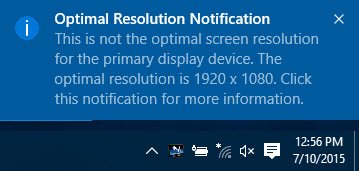
You may ignore the notification and confirm your Screen Resolution changes by clicking on Keep The Changes. or you may select another screen resolution. You will get just 15 seconds to confirm the changes or else it will revert to the default display settings.
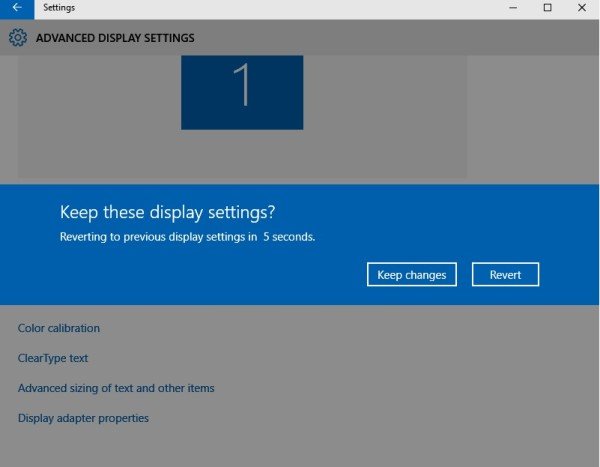
While here in the Advanced Display settings panel, you can also change the following settings.
TIPS:
- This post will show you how to check and change the Screen Resolution in Windows 11 using WMIC Command-line in PowerShell.
- You can also change the Display Resolution using HotKey Resolution Changer, Command Prompt, or QRes.
Related reads:
- DPI scaling improvements in Windows
- How to restore default Display Color settings
- Turn On or Off Night Light in Windows
- Monitors are showing different colors in a dual monitor setup.
Should I calibrate the monitor to sRGB?
sRGB is a standard RGB (red, green, blue) color space. It is a widely recognized standard and is most widely used for graphic design, photo editing, video production, and other sectors. If you calibrate your monitor as per sRGB, it will ensure what you see on the monitor appears when printed.
Read: How to open and use Color Management in Windows 11
Is sRGB good for gaming?
Like any other image or video editing application, sRGB offers an excellent color balance for games and is best for those who don’t require extreme color combinations. Most games are ready for sRGB, since most monitors use it as the default setting. That said, some games are designed to have vibrant colors and deliver a great experience if calibrated differently. It is the reason why many games do a pre-setup for monitor calibration.
