
Want to convert HTML files to PDF files? Want to give your blog readers to save your webpage as PDF files? Or maybe add a Save as PDF option to your browser toolbar. Read on if you wish to do so!
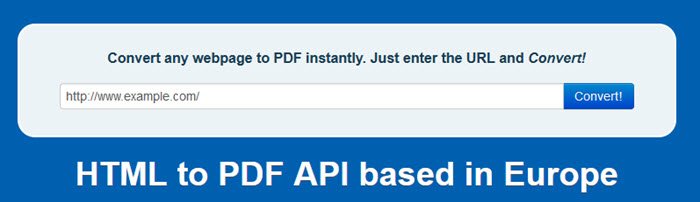
Add Save as PDF option to website
htm2pdf is a free web service that allows you to do all these three!
Simply visit the website that pastes the URL in the box provided and click convert.
If you want a “Save as PDF” option on your blog or website all you need to do is use the following code:
<a href="https://www.thewindowsclub.com">Save as PDF</a>
The website will detect the referring webpage and prepare the PDF.
I did try it out and I must say that I was pretty impressed with the output!
Convert HTML to PDF
Like this article? Want to Save as PDF? Visit the website here.
Thanks for the tip jappe!
- Web2PDF Online is another free HTML to PDF Conversion service for your websites that allows your visitors to quickly save useful information in your blogs and websites to PDF files. But you have to register there first to be able to avail of their services.
- Free PDF Converter is a simple HTML to PDF Converter browser extension. No need to install any applications on your computer. It’s free and without registration!
How do I add a downloadable PDF to my website?
There are multiple options to add a downloadable PDF to your website. However, things are easier if it is built on WordPress since there are countless plugins available for this purpose. However, you can also use the htm2pdf, which is mentioned above, to get the job done.
How do I convert a web page to PDF and preserve its look?
When you use the universal method, Ctrl+P, to print a website as PDF, it gets changed as per the browser. That is why you can capture a screenshot and convert it into a PDF. This way, the look will be preserved without any issue. However, it is pretty time-consuming to get the outcome.
That’s all! Hope this guide helped.

