
In recent years computers and operating systems have greatly evolved. At a time, users had to use commands to navigate through file managers. Like most of the other operating systems, Windows also gets support for mouse gestures.
Mouse gestures are intended to make things easier for users. With the gestures in place, you can simply use a flick to open your favorite programs. In other words, the gestures are like keyboard shortcuts for the mouse.
Add Mouse gestures to Windows PC
I have been using a couple of mouse gestures, and these have made my life pretty easy. You can also save a lot of time and become more productive by using mouse gestures on your Windows 10 PC. In this article, we will walk you through some of the best third-party apps that will enable mouse gestures on your favorite programs.
1] High Sign
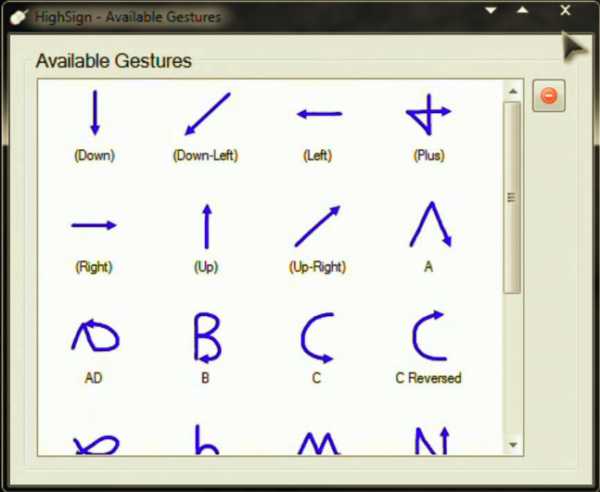
High Sign is an application that lets you create custom gestures and map them to your liking. The best part is that you as a user are not restricted to a select few predefined gestures and can create your own. I particularly found the recognition to be very accurate. Furthermore, the app can also be mapped to perform certain operations with the use of gestures. The training mode is helpful for beginners.
The only qualm is that the app has not been updated in quite some time, that being said it still works flawlessly. Get HighSign here.
2] StrokeIT
StrokeIt is arguably one of the most popular mouse gesture apps. The app is open-source and many StrokeIt plugins are available under the MIT License. StrokeIt is an advanced mouse gesture recognition engine and works with simple gestures that you can draw on your screen with the mouse. In other words, this tool will enable you to control certain functionalities by using gestures.
In order to use the gestures, all one needs to do is click and hold down the right mouse button and draw the gesture. In case you want to cancel a mouse gesture you can do so with a left mouse click. The developers claim that the app is designed to recognize more than 80 unique mouse gestures. StrokeIt is free for individuals and not-for-profit use.
Interestingly StrokeIt makes it easier for users as it comes with preconfigured gestures for apps like Chrome, IE, Firefox, and Photoshop. That apart the app is very lite and you can choose from a slew of commands that include internet options, manipulating windows, sending hotkeys or keystrokes and others. Get StrokeIt here. StrokeIt Home is free for personal use.
3] StrokePlus
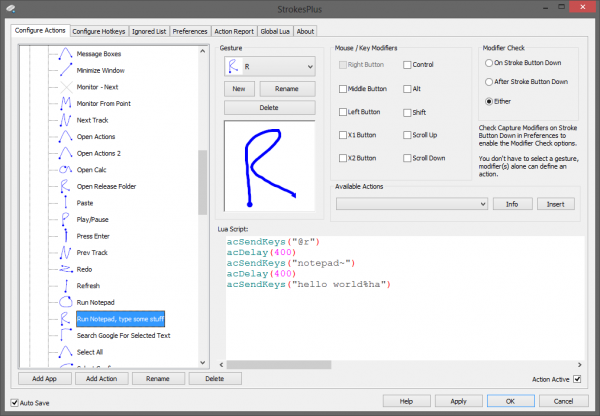
If you are on a lookout for a free to use feature-rich mouse gesture than the StrokePlus is the best bet. As expected StrokePlus already comes with 35 configured gestures that let you control a range of functions across apps like Windows Explorer, Chrome and Firefox. I personally love how you can add a new program to the list of gestures.
In order to add a gesture, you need to select the application and click on Add Button. Unlike other programs, StrokePlus lets you use the scroll wheel in the gestures. That being said, the learning curve is pretty steep and one needs to devote a lot of time for the initial setup. I just wished the tool relied less on scripts and commands. Get StrokePlus here at strokesplus.com.
4] Just Gestures
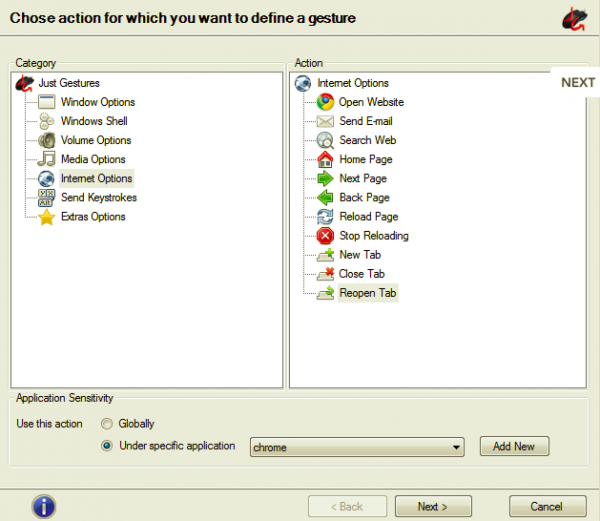
I was initially wary of selecting Just Gestures as the tool has not been updated for quite some time. After using JustGestures for some time, I changed my mind. The open-source gesture tool offers an easy and elegant way to use mouse gestures on a Windows PC. You can create a command with a combination of mouse button actions as a user.
The best part is that JustGestures detects the gesture and suggests appropriate actions. The program supports Classic Curve Gestures, Double Button Combinations, and Wheel Button Combinations. Furthermore, mouse gestures can be performed by holding the right mouse button and moving the mouse along a curve or a line. The gestures are available across various functionalities, including window options, Windows shell, audio volume, media, internet, send keystrokes, and wheel button actions. Get Just Gestures from justgestures.com.
5] Native Touchpad Gestures on Windows
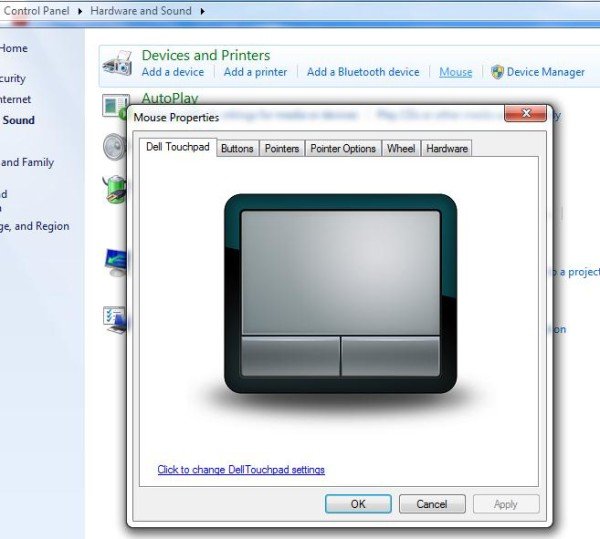
This one is pretty different from the others. Unlike the other apps, native gestures work only with touchpad and not the mouse. This feature comes bundled with Windows 10 and offers basic functionalities like mapping features to three-finger tap, three fingers up, three fingers down and four-finger tap. That being said native Windows 10 Touchpad gestures offer limited functionalities.
All the apps listed above excel when offering mouse gestures for Windows 10. Each one has its own quirk and lets you customize gestures. I have been using mouse gestures on my Windows PC for the past few weeks, and they have certainly helped me save time and boost productivity.
Let us know your thoughts about adding mouse gestures to Windows in the comment section below.
