
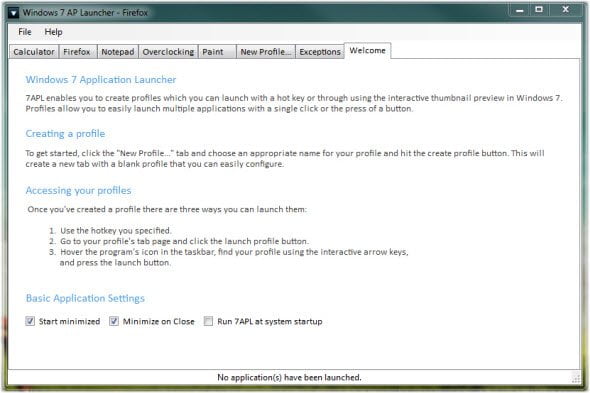
7APL is an application launcher made with Windows 7 in mind. You can launch single applications or group of applications with a single hot key or by using Windows 7 newest features,
7APL
7APL gives you 3 easy ways to launch applications:
– Right click access to profiles through JumpLists
– Customizable hot keys for each individual profile
– Interactive thumbnail to view or launch profiles
Feature List:
Profiles – Group applications into profiles to launch them simultaneously.
Profile pictures – Associate pictures with profiles to easily identify between them.
Hotkeys – Specify hotkeys on a per-profile basis to launch your applications
Interactive thumbnail – Launch profiles directly from the taskbar
JumpList support – Launch profiles or tasks directly using jump lists
Toggle Mode – Toggle-mode allows you to close the apps you launched
Exceptions – Pesky applications that won’t close can be added as an exception
Pinning – The application pins just fine for those who want it constantly running
Options – Run 7APL at system boot, minimize on startup, and minimize on close ensures you can keep the launcher running at all times if desired.
Home Page : programming-designs.com
